Apple HomeView Hands-On: A Strong First Smart Display for iPhone Households
Apple's first smart display leans hard on the iPhone and Apple Intelligence. Eight days with two units show strong audio and useful Siri, with limited apps.
Apple's first smart display is a solid debut, but it's a product that only makes full sense inside the Apple ecosystem. After eight days with two HomeView units, one on a kitchen island and one on an entryway wall, my read is that Apple has shipped a thoughtful first generation with clear strengths and some conspicuous gaps. Audio is better than it has any right to be, Siri's personal features are the real differentiator, and the clock faces are more than a novelty. The limits are just as clear: no App Store, restricted third-party apps, and a Siri that sometimes makes you wait.
Who this is actually for
Start with the dependency, because it shapes everything else. HomeView needs an iPhone to get the most out of it, and ideally an Apple Intelligence-enabled model to use Siri with Personal Context. That combination is what makes the device feel different from a typical smart display. Siri can search your messages, control your smart home, and surface personal content without you reaching for your phone. If you don't already live in iMessage, Apple Home, and Apple Music, a lot of the appeal drops away.
Here's the thing, though: that integration is exactly why the device works as well as it does. HomeView isn't trying to be a miniature tablet. It borrows your phone's context and gives you a glanceable window into it, which is a different proposition from an Amazon Echo Show or a Google Nest Hub.
Design: two very different hardware approaches
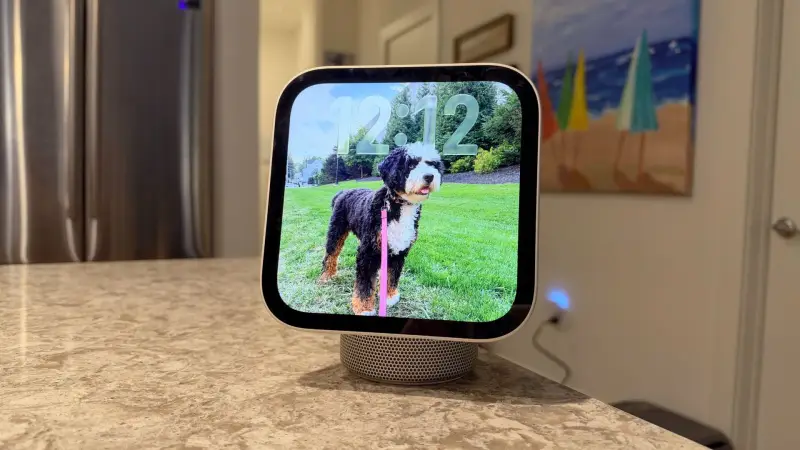
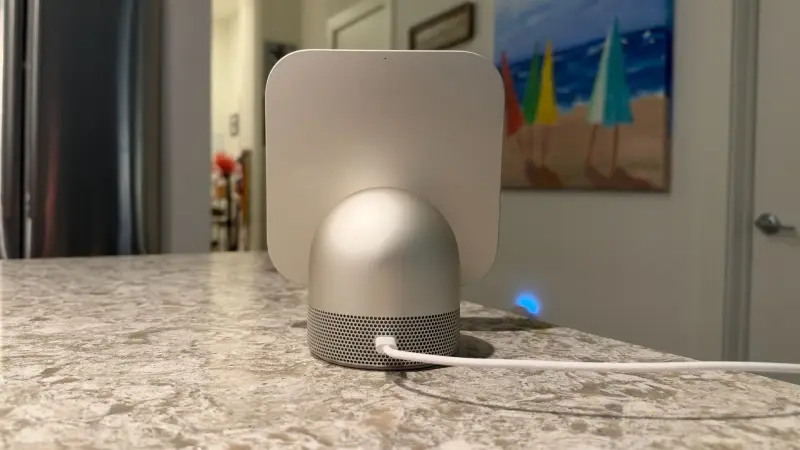
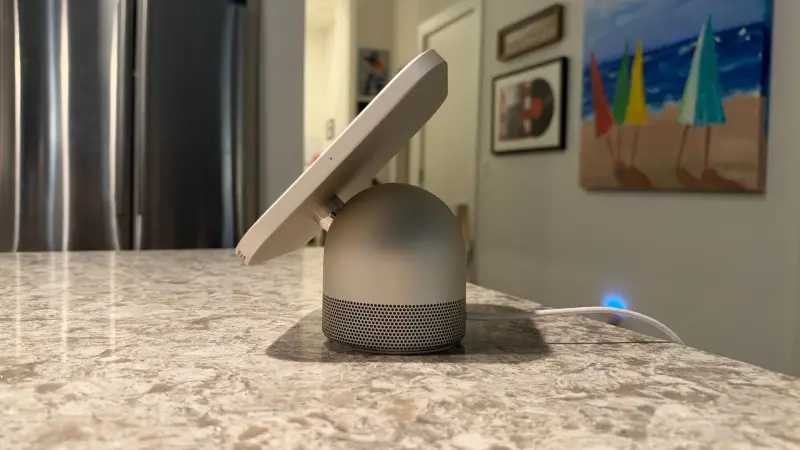
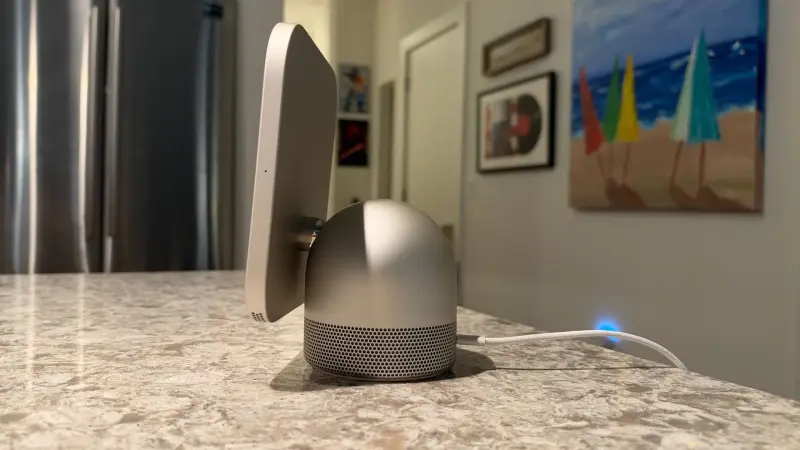
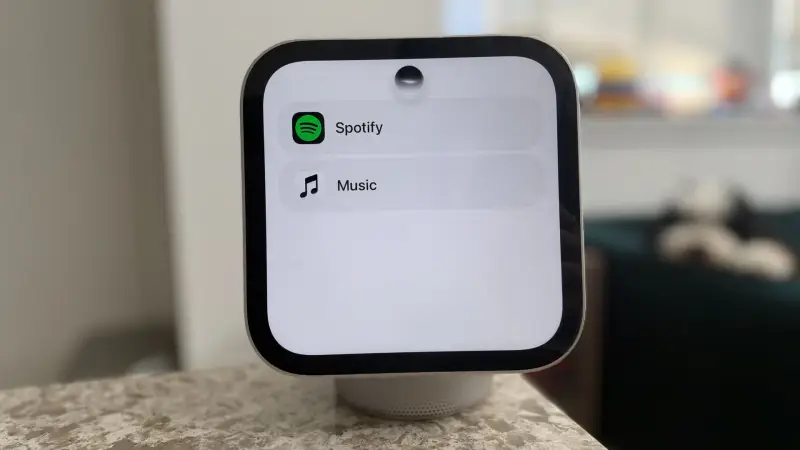
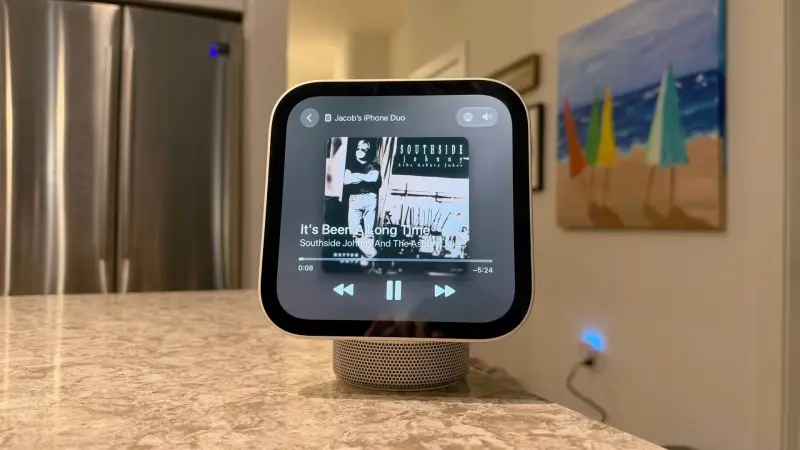
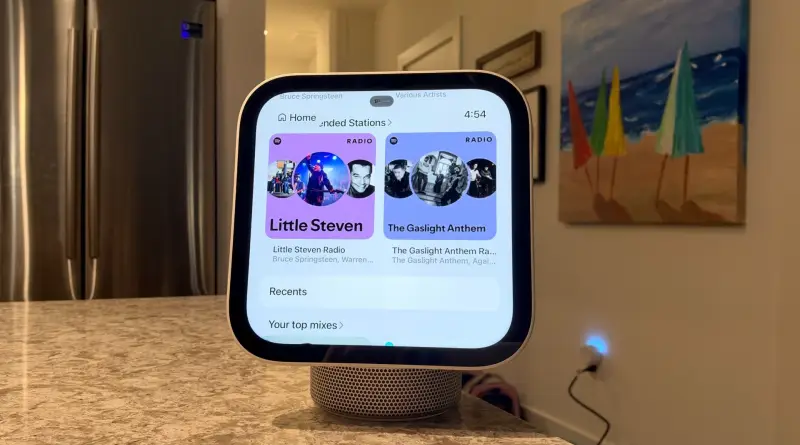
Apple sells HomeView in two forms, and they're meaningfully different products despite sharing the same core. The standard model is a tabletop device: a square 7-inch Liquid Retina display with soft, rounded corners sits on an arm that extends from a domed, circular base. It's smaller than you might expect and reads as deliberately cute. Four colors are offered: Starlight, Space Gray, Rose Pink, and Silver. The Starlight finish shifts between airy gold and silver depending on the light.
The build is premium aluminum with brushed finishes and polished accents, particularly around the hinge. The silhouette has been compared to an oversized Apple Watch with unusually thick bezels, and there's a visible nod to the iMac G4 in the potted-plant styling. Apple includes a color-matched USB-C cable and wall adapter, which keeps physical setup simple.
Movement is the first real compromise. The display tilts up and down but doesn't swivel, so turning it left or right means rotating the whole unit. The rubberized base keeps it planted, much like a HomePod, and the device is easy enough to turn by hand. Still, a built-in swivel would have made it feel far more seamless in use. A motorized arm would be better still, and that's the feature this tester would most like to see in a later generation.
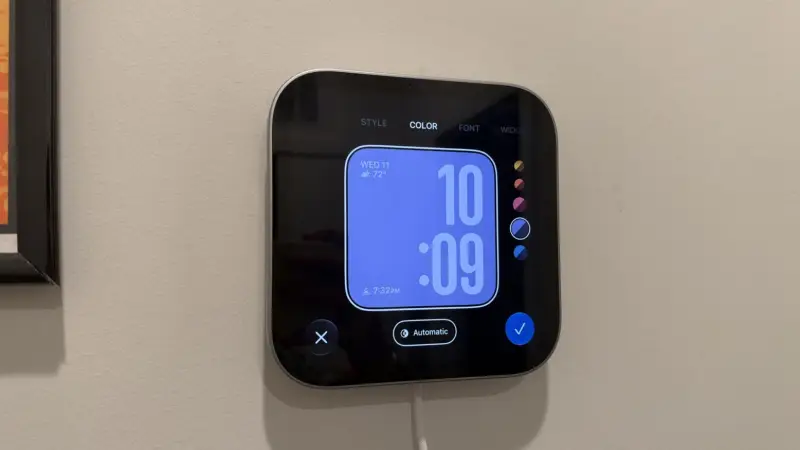
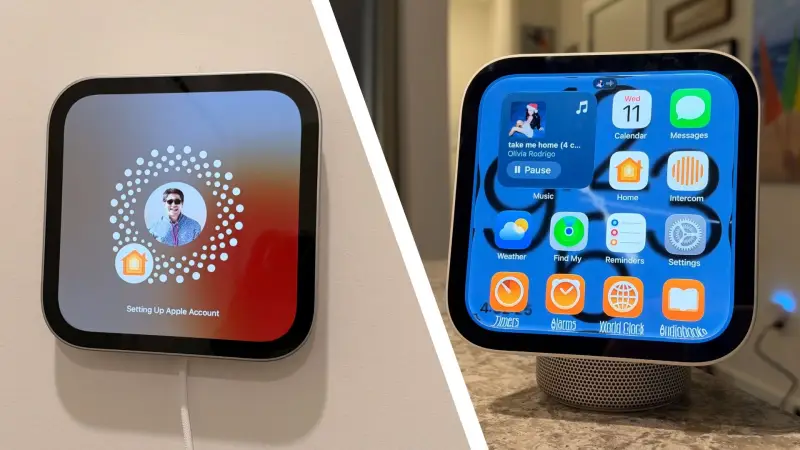
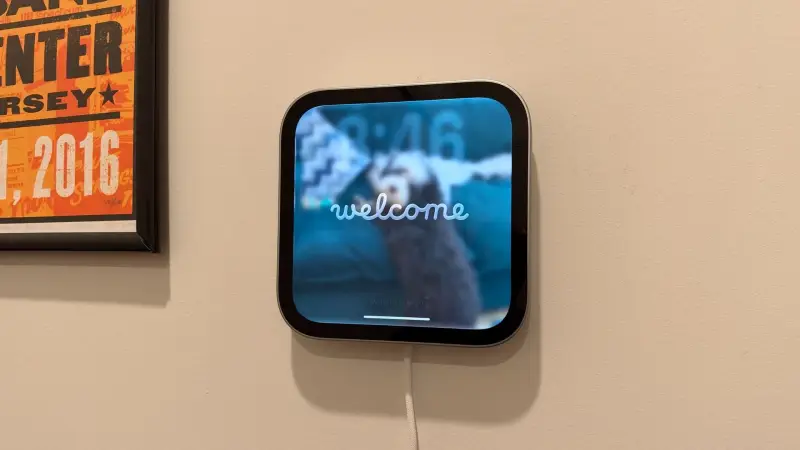
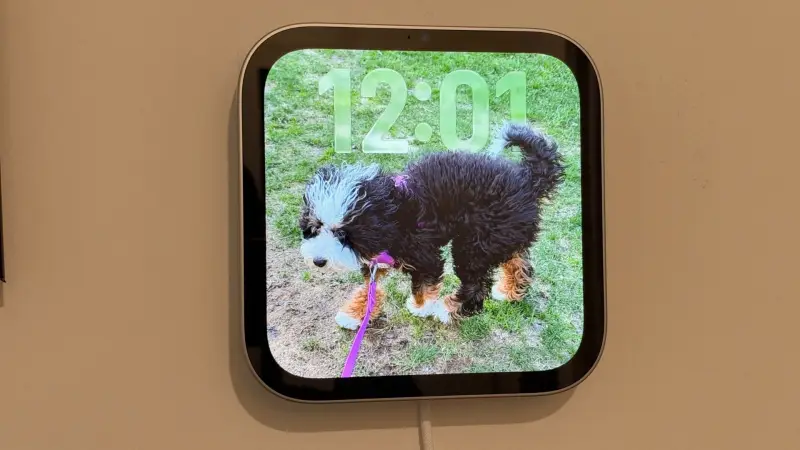
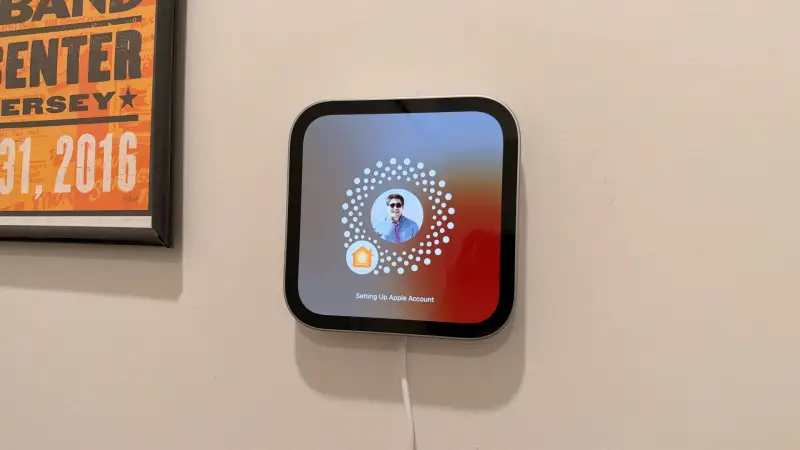
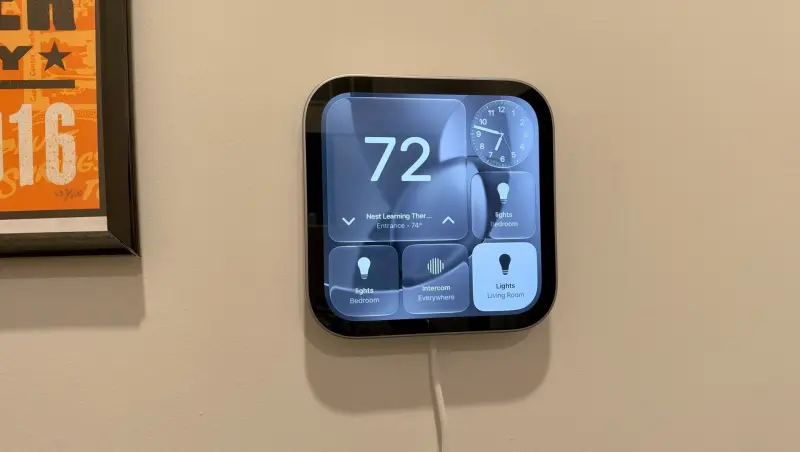
The wall-mounted version is essentially the display without the arm or speaker base. It's 145.5 mm square and 9.9 mm thick, weighing 286 grams compared with the tabletop's 952 grams. It uses a USB-C port on the back that works with compatible mounts, including those from Schneider Electric. Mounting was straightforward: two drilled holes, anchors, and screws, and the whole job took under 15 minutes, even for a renter using the USB-C mount. The power adapter isn't included, so you'll need to supply one. Apple also offers the wall-mounted model in Silver or Space Gray.
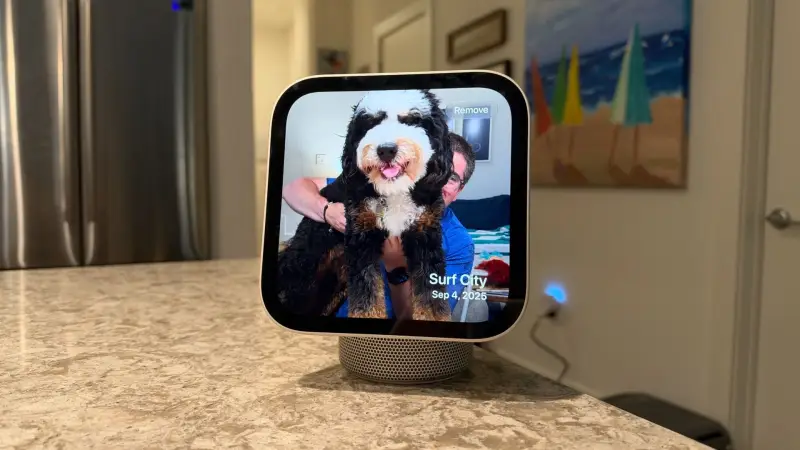
Physically, the display is noticeably thicker than an iPad or Apple's touch-enabled MacBook Pro, which is understandable given what's packed inside. There are no physical buttons and no camera shutter, so Apple is betting almost entirely on touch and voice. The only port is USB-C for power.
Compared with older Echo smart displays and Google's Nest Hub, HomeView feels a good deal more premium. It takes a markedly different approach from Amazon's newer Echo Show 8, Echo Show 11, and the forthcoming Echo Show 16. It also doesn't match the colors of the HomePod or HomePod mini, which is a small irony given how closely it fits Apple's broader design language.
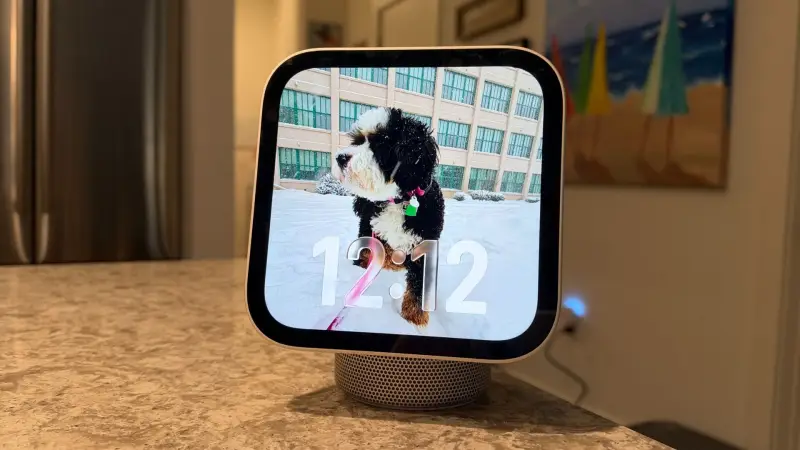
Display and camera
The 7-inch Liquid Retina panel looks clean, with sharp text, vibrant photos, and plenty of brightness. The glossy finish picks up reflections even at high brightness, which matters more in a kitchen with a window behind you than in a dim entryway. A matte or nano-texture coating would help here, and it's a reasonable thing to expect in a future revision.
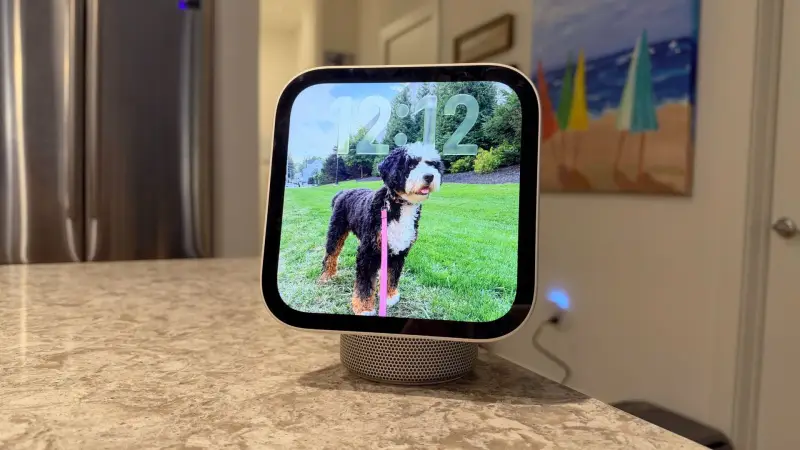
On the low end, Apple says the display dims to 0.3 nits, the lowest of any display in its lineup. That's useful for a bedroom or a hallway at night, where a bright screen would be distracting. The spec sheet lists a 500-nit brightness limit and TrueTone support, using a 1088 x 1088 LED panel.
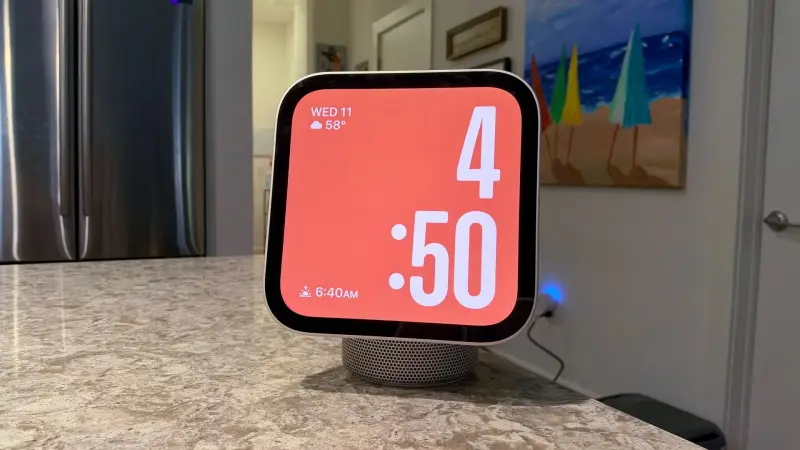
The 12-megapixel Ultra Wide Center Stage camera sits above the display. Center Stage keeps you in frame as you move, but only within the camera's field of view, so you'll still need to turn the unit manually if you wander far. Microphones are spread around the frame, including near the camera, along the sides, and on the rear. Four integrated microphones picked up voice reliably across a room, even with music playing or the TV on.
Audio: the surprise of the lineup
Audio is where the standard HomeView earns its keep. The base houses a downward-firing woofer and two force-canceling passive radiators, with two full-range drivers in the display section. The base is perforated with dozens of precisely drilled holes around its lower half. For something this compact, the output is substantial: a wide soundstage, strong bass, and enough volume to fill a kitchen and an adjoining living room. It's not so much that the bass is loud as that it has real low-end punch without making the unit buzz or wander across the counter.
In direct comparison, the standard model produced enough volume to outdo the HomePod mini 2. This tester ended up using it as the apartment's main speaker, which is a strong endorsement for a device that also handles smart home controls and video calls.
The wall-mounted version uses two custom drivers and drops the passive radiators and woofer. It's by no means tinny and still offers a surprisingly wide soundstage, but low end is noticeably thinner. Grouping the two units for multi-room playback works well, but if music is the priority, the tabletop model is the one to pick.
Personal Context and multi-user behavior
HomeView supports up to six registered users, and it's built to live in a shared space while still behaving personally when needed. Setup follows the pattern Apple uses for Apple Watch and AirPods: plug the unit in, wait for it to boot, bring your iPhone close, scan a graphic to pair, and then choose who you're setting it up for. Adding a new user starts on HomeView and hands off to that person's iPhone. They'll need to be part of your Apple Home.
The recognition logic is one of the more interesting design choices. When a non-registered person walked into the camera's view while personal messages were on screen, HomeView stopped displaying personal content until it recognized the registered user again. It's a sensible safeguard for a device mounted in a hallway or kitchen.
The trade-off is that some items you'd expect to be shared are missing. There's no calendar, which likely reflects Apple's decision to keep potentially confidential entries tied to individual users. That means HomeView doesn't offer the shared family calendar that some competing displays do. A workaround, a shared calendar visible to each registered user, would fill that gap nicely.
Software: iOS habits, watchOS clock faces
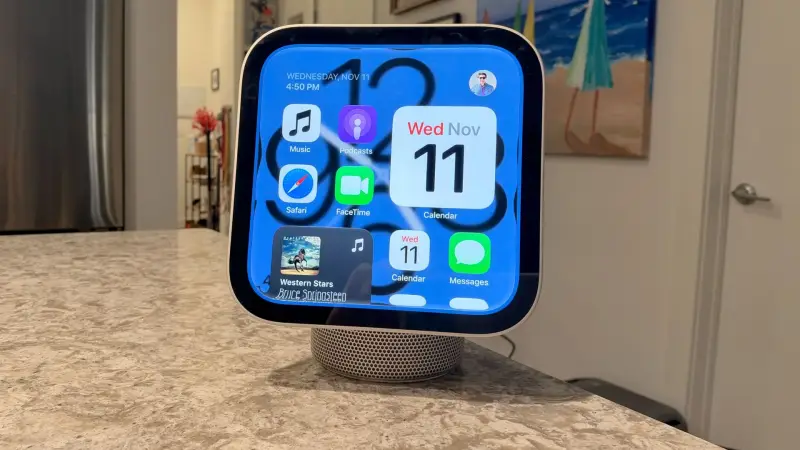
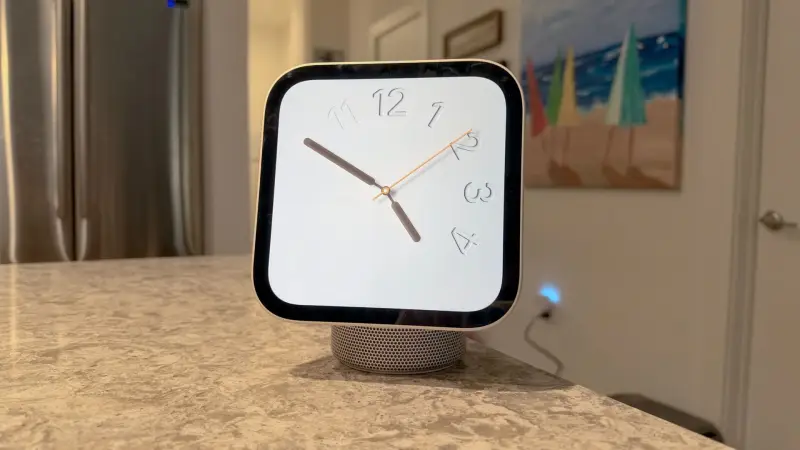
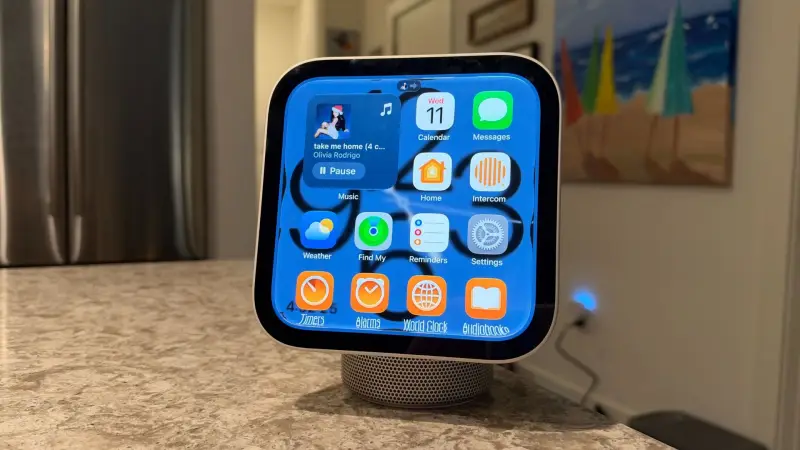
HomeView runs custom software rather than a dedicated home OS. The app grid, including its tint and customizable widgets, will feel familiar to any iPhone user. Clock face customization leans on watchOS, complete with complications. It's a bit of a patchwork, and the mix is noticeable, but it works.
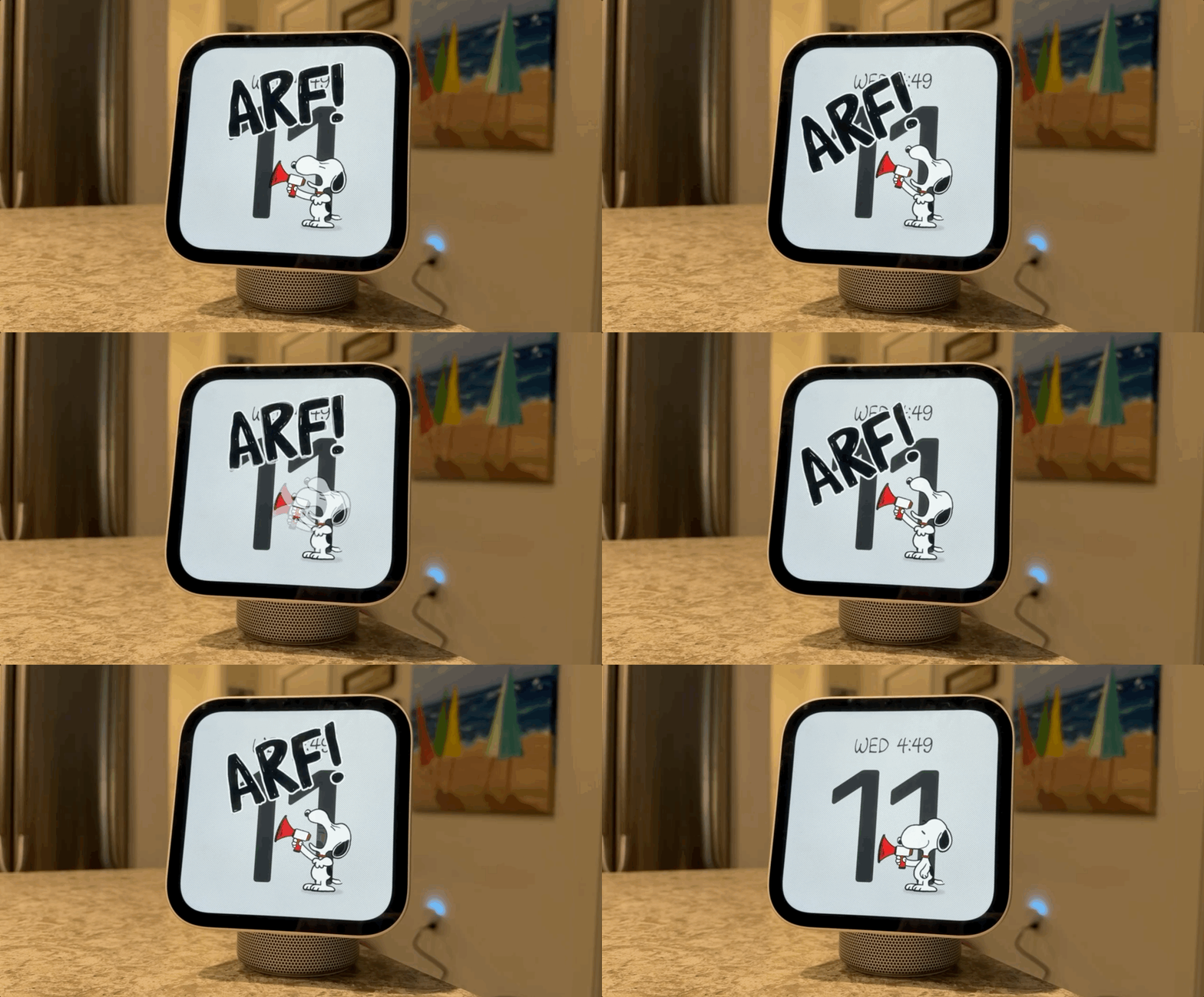
The clock faces are where the device earns its personality. The Photos face is the standout. You choose people, places, or pets, and HomeView cycles through relevant pictures through the day. The author set it up around a dog named Rosie and found it genuinely pleasant to glance at. Tapping the screen shows when and where a photo was taken. If you use a shared album as the source, new images appear as they're added, which makes it an easy gift idea for parents or relatives. The Snoopy face has custom artwork and animations that differ from what's on Apple TV, and tapping it triggers a small animation. The Modular face puts widgets and controls front and center, and it's the one that turns HomeView into a proper control panel.
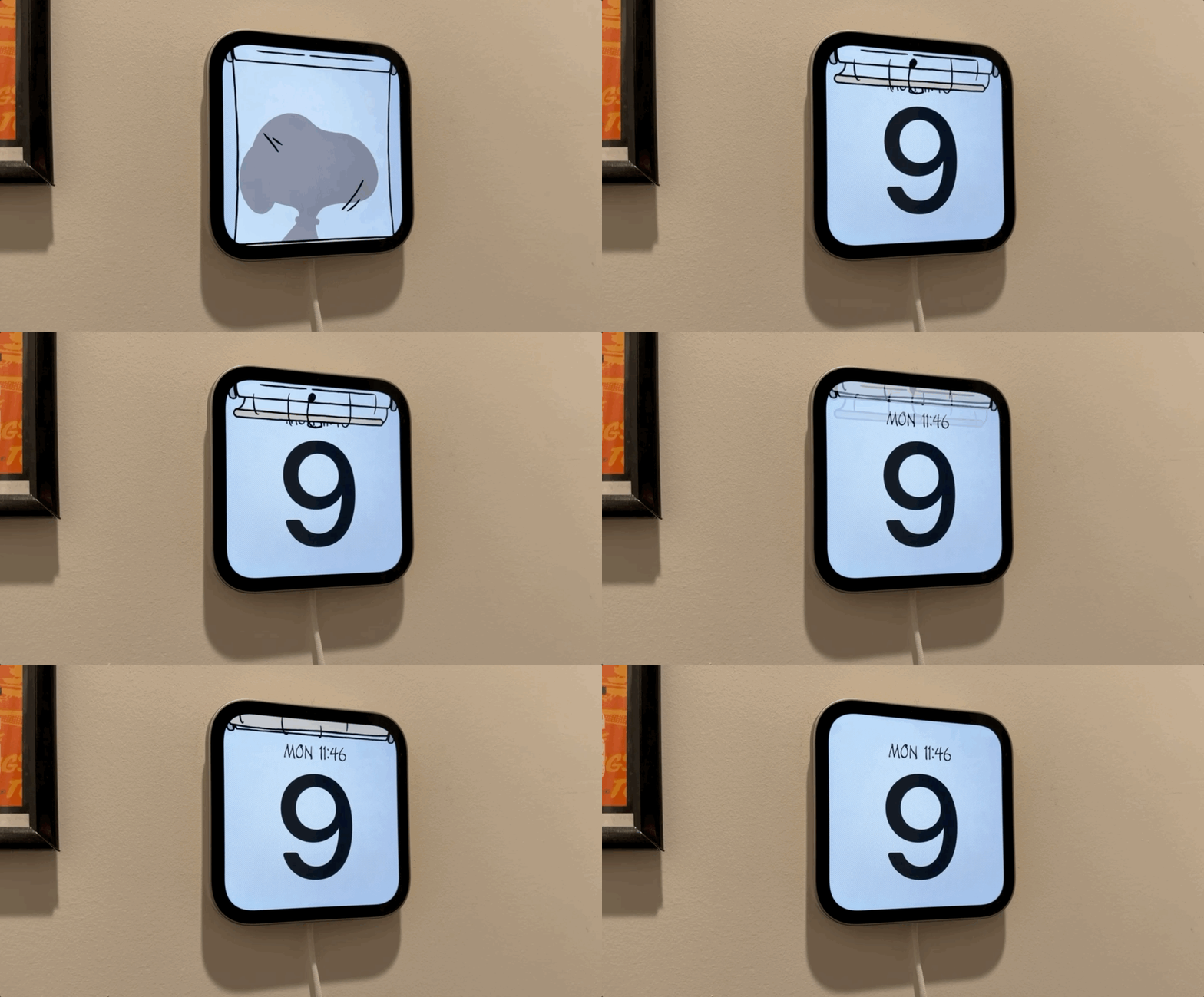
Responsiveness is generally snappy. The device runs Apple's A18 chip with the Secure Enclave, which underpins its privacy handling. Apple processes requests on-device where it can and routes more complex ones through Private Cloud Compute.
Siri: useful, sometimes slow
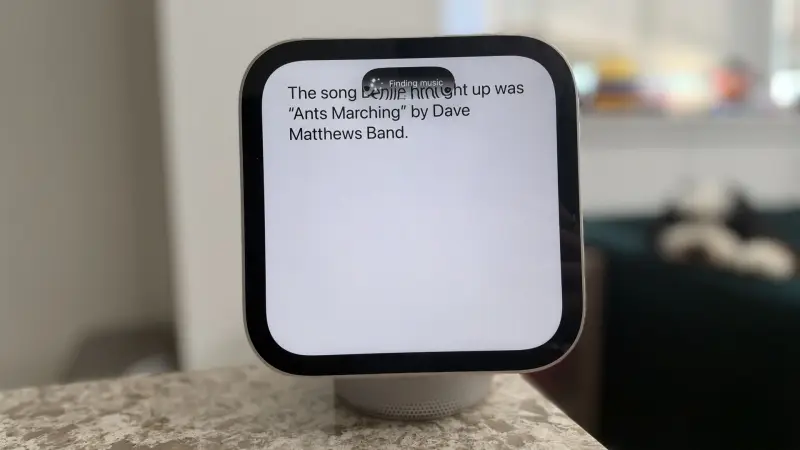
Siri with Personal Context is the feature that justifies the price for Apple households. One example from testing: asking which Dave Matthews Band song a friend had recommended in messages. HomeView took roughly 10 to 15 seconds, showing progress at the top of the screen while it searched, and then returned "Ants Marching." Because the tester had both Spotify and Nugs connected through the iPhone, Siri asked which service to use before starting playback. A multi-step request, checking a calendar event in the city and working out when to leave given traffic, also took a while but got the answer.
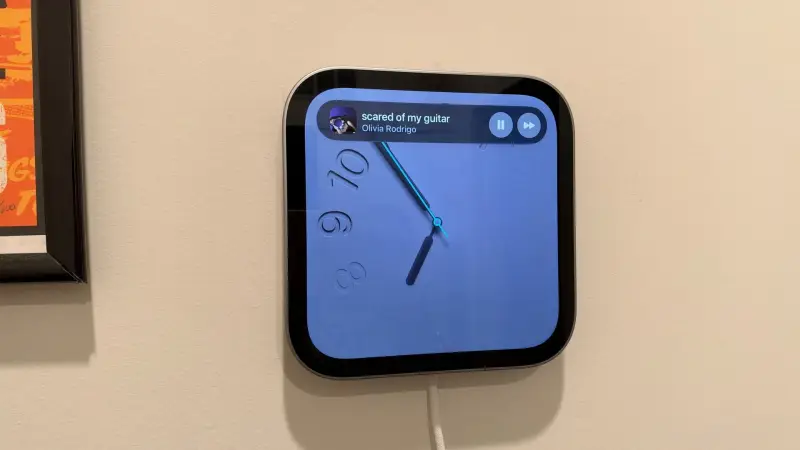
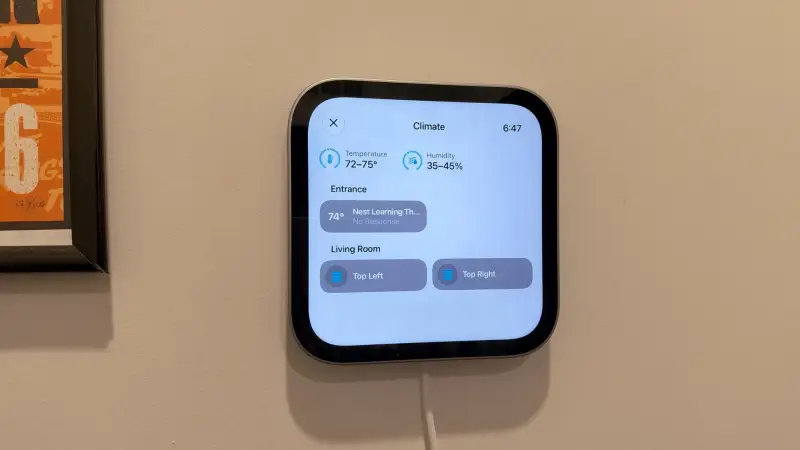
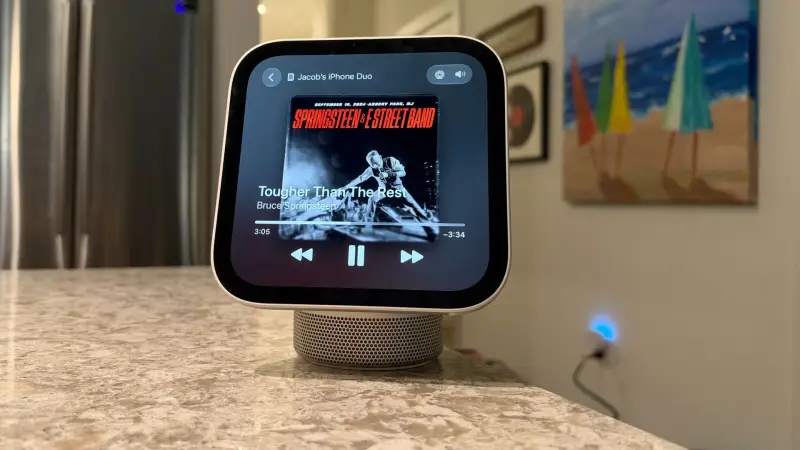
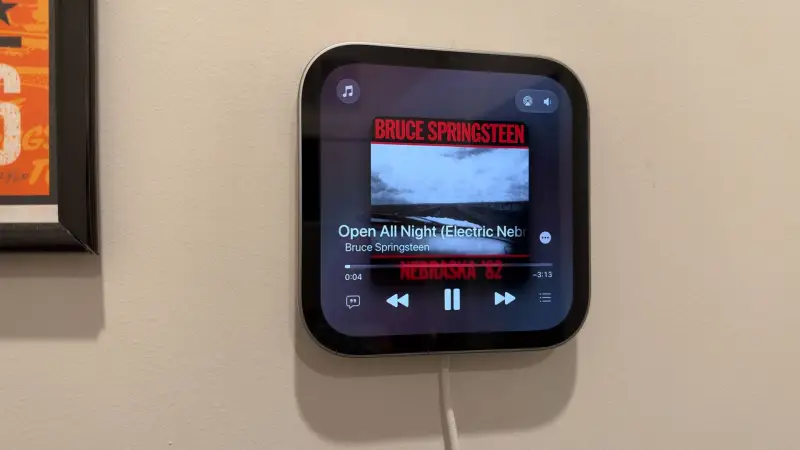
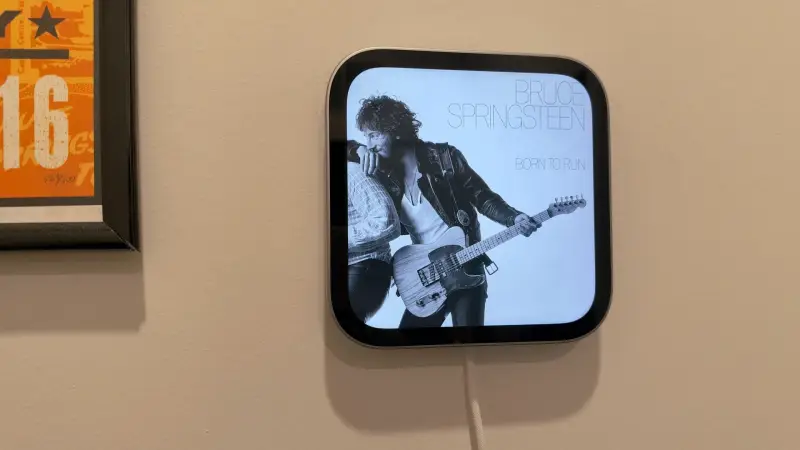
Timing varies a lot by request type. Playing Bruce Springsteen's "Ghosts" through Apple Music took about 12 seconds to start, with album art appearing on screen. A simple weather check for New York City took two or three seconds. Smart home queries were the quickest: asking for the apartment temperature, which pulled data from both HomeViews, multiple sensors, and a Nest thermostat, took around two seconds or less.
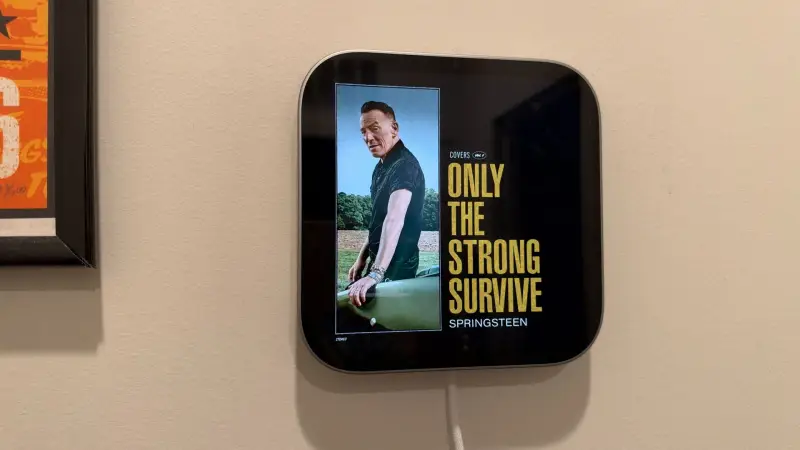
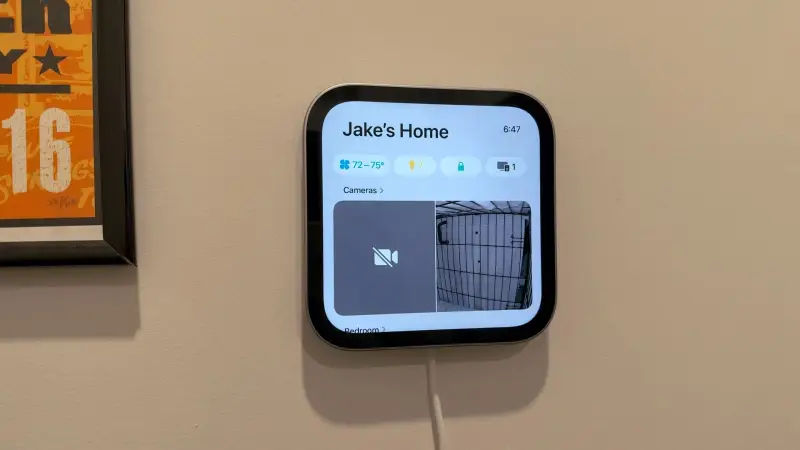
Siri can also build automations on request. Asking for a routine that raised the smart blinds and turned on the lights at 6 a.m. produced a working morning routine without touching the Home app. Single actions and multi-step routines both work this way, and existing automations you've built in the Home app carry over.
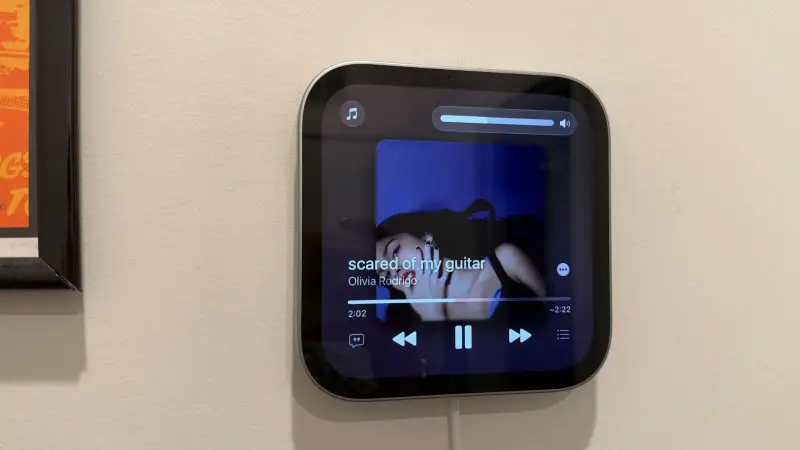
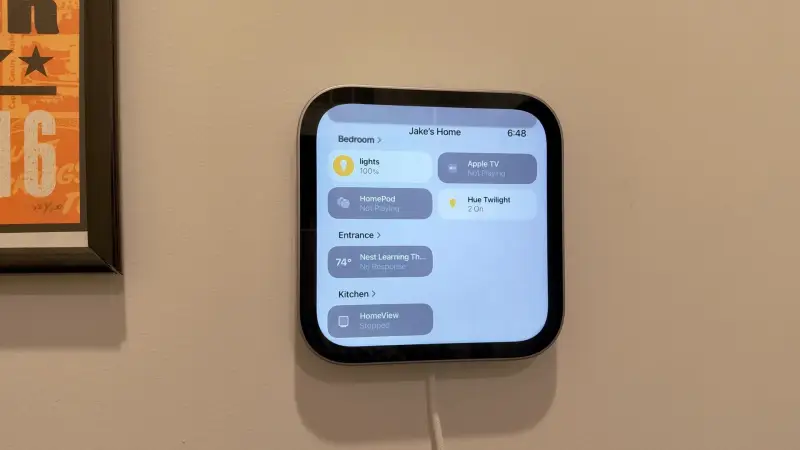
The smart home story is strong for Apple Home users, with some caveats. HomeView works with Apple Home, supports Matter, and includes Thread connectivity, but has no native Zigbee support. Zigbee devices still work through a compatible bridge. The tester's setup, including Philips Hue lights, a Google Nest Learning Thermostat 4th Gen, an Eve Cam, an Anker Eufy camera, and Ryse Shades, worked well. Apple's own Home Collection is set to arrive in December. Compatibility is the area where buyers should check before committing.
FaceTime, Mirror, and the ambient idea
FaceTime is one of the device's strongest everyday uses. The 12-megapixel camera delivers good video, and Center Stage handles movement well in a kitchen. Being able to take a call while cooking, without stopping what you're doing, is a clear practical benefit. The Mirror feature, reached through Control Center, uses the camera to show a live view of yourself with 1x and 2x zoom options. It isn't a reason to buy the device, but it's a handy quick check when mounted near a front door.
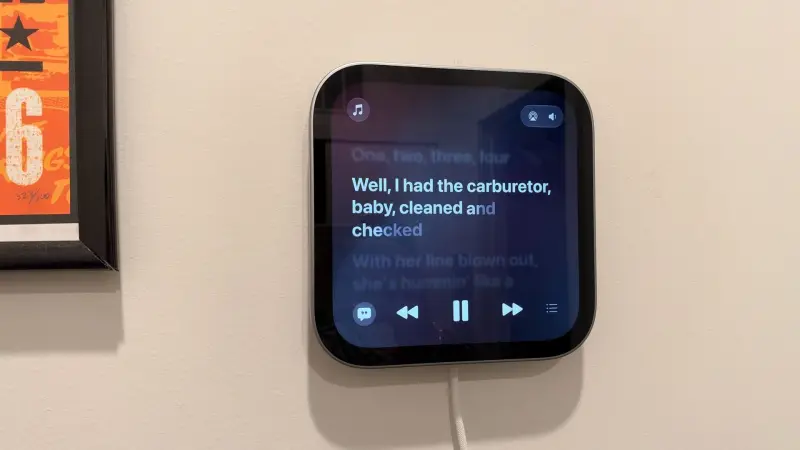
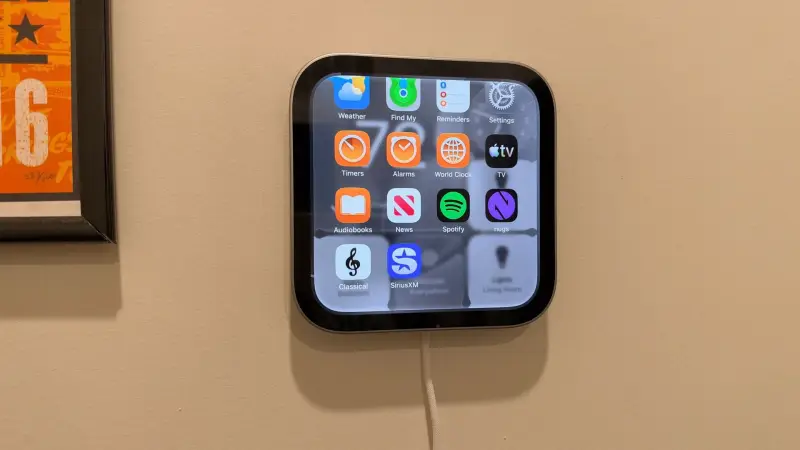
The bigger idea is ambient computing. HomeView doesn't send notifications except Home alerts and incoming calls from your iPhone. It's designed to surface information when asked and recede otherwise. Apple's core apps are present: Music, Podcasts, Safari, FaceTime, Calendar, Messages, Home, Intercom, Weather, Find My, Reminders, Alarms, Timers, World Clock, Audiobooks, Apple TV, and Settings. News is included too, though its selection is narrower than on an iPhone or iPad.
Limits: no App Store, limited video
HomeView isn't an iPad, and Apple isn't trying to make it one. There's no App Store, and third-party app support is restricted. Apple is using CarPlay compatibility to bring select audio and video media apps to the device. In testing, Spotify, Nugs, Apple Music Classical, and SiriusXM all worked, though availability can shift depending on which registered user HomeView recognizes, since it draws on that person's profile and connected iPhone.
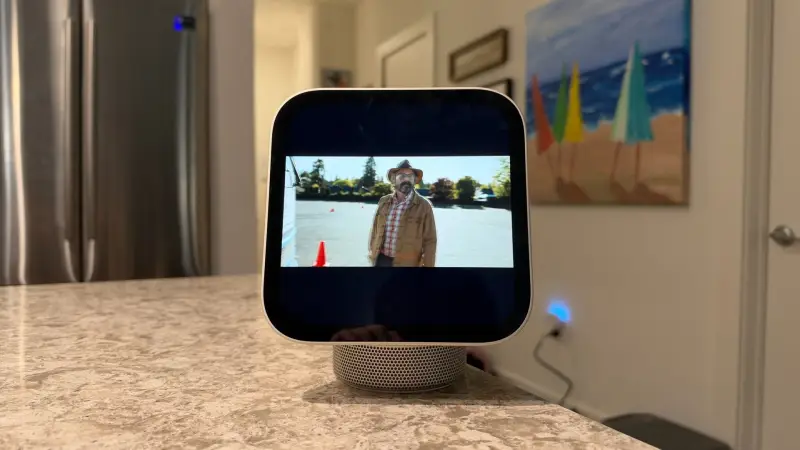
Video is the weakest area. Apple TV is built in, but there are no dedicated apps for YouTube, Disney+, Hulu, Peacock, or Netflix. You can start a YouTube video on your iPhone and hand playback to HomeView, which works. With a seven-inch screen, letterboxing, and sometimes zoomed-in framing, it suits casual viewing while you do something else rather than a full episode or film.
Given that curated approach, this tester's read is that the restrictions are intentional. HomeView looks designed to avoid becoming another screen demanding attention. Apple may also open things up later, and the author's own guess is that a dedicated home OS and a more open app model could appear at WWDC 27. That's speculation, not something Apple has signaled in this product.
Pricing, availability, and who should buy
HomeView is priced at $299 in the US, £299 in the UK, and AU$449 in Australia. Preorders are open, and the device officially launches and begins shipping on November 13, 2026. The tabletop model comes in four colors, while the wall-mounted version is available in Silver or Space Gray for the same price. The wall mount is a separate purchase from Schneider Electric, and you can choose a USB-C model, which suits renters, or an AC model, which requires proper installation.
At that price, HomeView isn't cheap, but it doesn't feel like an unfinished experiment. The everyday tasks it handles well are FaceTime, quick message checks, music, smart home controls, and personalized clock faces. Those are the interactions that make it easy to keep around rather than something you need to find reasons to use.
Buy it if you've been waiting for an Apple smart display and already run an iPhone and Apple Home setup. Personal Context, the clock faces, and the audio are the reasons. It also makes sense for a shared household space where a glanceable screen for messages, photos, weather, and controls adds daily value. Skip it if you need broad third-party apps, a true video screen, or a device that works well without an iPhone.
Scores and how the testing ran
The device earned a value score of 4 out of 5, a design score of 4 out of 5, and a performance score of 4 out of 5. The design score reflects a premium build and two distinct form factors, with the arm's lack of swivel and the glossy display as the main drawbacks. The performance score reflects strong audio, responsive smart home control, and good FaceTime, against limited app support and slower complex Siri requests.
Testing ran for eight days with two units. The standard model lived mainly on a kitchen island and spent time in an office and a bedroom. The wall-mounted model was installed in an entryway. The device was tested against Philips Hue lights, a Nest thermostat, and smart blinds, and compared with Amazon Echo Show and Google Nest Hub displays. Speaker comparisons included the HomePod mini, HomePod mini 2, second-generation HomePod, Sonos Move 2, and Sonos Era 100.
The first product of any category tends to show its priorities clearly, and HomeView's are easy to read. It favors personal context, ambient presence, and sound over app breadth. If Apple expands the platform in the coming generations, the swivel, the matte display, and the shared calendar are the fixes that would matter most to daily use.