Apple TV 4K (2026) Review: Same Picture, Steeper Price
The 2026 Apple TV 4K adds hands-free mics and a beta Siri AI, but picture and sound match the older model at $299. Upgraders can skip it.
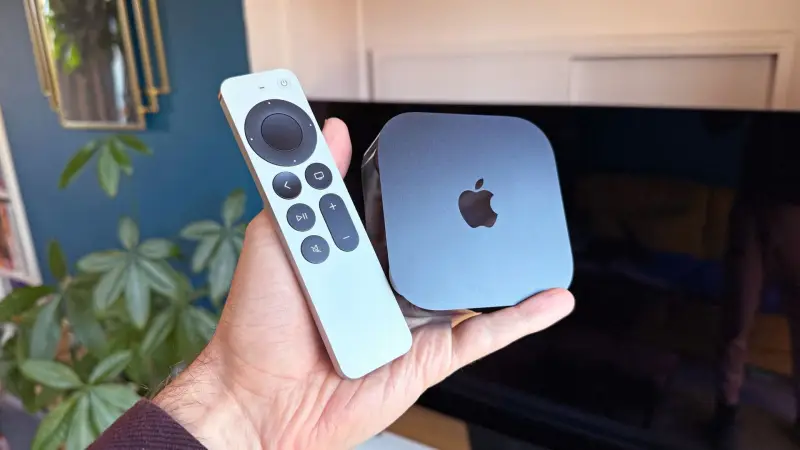
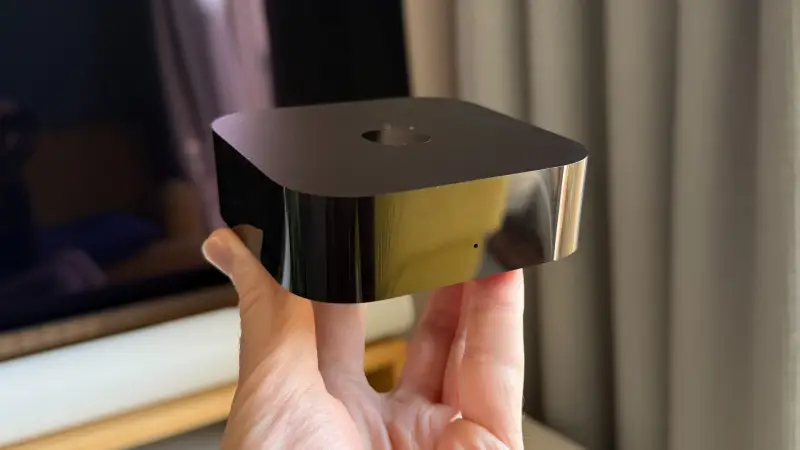
Apple's new Apple TV 4K is the rare streaming box where the price tag is the most interesting part. Picture and sound performance haven't changed from the previous generation. The genuinely new features, a Siri AI upgrade and microphones built into the box, are still rough. At $299 / £299 / AU$449, the case for buying it rests on two questions: are you new to Apple's box, and do you care a lot about image quality and privacy?
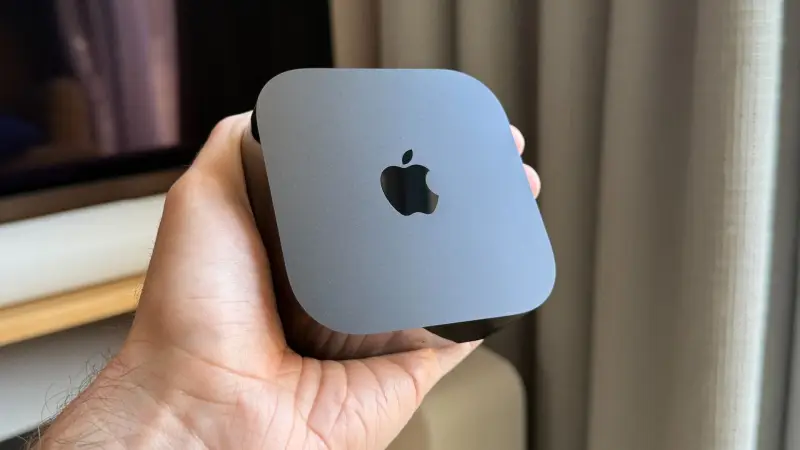
How the price got here
The 2022 Apple TV 4K launched at $129 / £149 / AU$219. In the middle of 2026, that price rose to $199 / £249 / AU$399. The new model starts at $299 / £299 / AU$449. That's more than double the launch price of the model it replaces, and the jump has happened without a comparable jump in what the box does.
The obvious comparison is the Amazon Fire TV Stick 4K Max, which costs $84.99 / £99.99 / AU$149. Amazon raised its price this year too, but it still undercuts Apple by a wide margin, and the two products offer basically the same format support. The Nvidia Shield Pro now also sells for $299, though its hardware is considerably older. So Apple isn't an outlier against every rival at that price point. It's an outlier against the cheap equivalents, and that's the comparison most buyers will make.
My read is that the premium Apple charged in the past was defensible because the picture quality and privacy stance were genuinely better than the alternatives. That premium was easier to justify at $129 than at $299. Prices are rising across consumer electronics, and I'm not arguing Apple alone is out of step. But the gap between this box and the Fire TV Stick has grown faster than the gap in what you see on screen.
What hasn't changed: picture, sound and formats
The reason enthusiasts recommend Apple TV is still the reason it's expensive. The box supports Dolby Vision and HDR10+ alongside HDR10 and HLG. It can switch output frame rates on the fly, including moving to 24fps for films, which gives movies a more natural motion look, especially on a 120Hz TV.
Upscaling is where the box earns its reputation. Lower-resolution content comes out looking naturally sharp, and it does so consistently without the over-processed look that a lot of TVs' built-in "AI upscaling" produces. The latest flagship TVs with strong neural-network upscaling might match or beat it, but most people's televisions won't.
The other pillar is the Apple TV store. Its movies are encoded at a higher bitrate than anything you'll get from Netflix or Disney+, which means cleaner detail and fewer artifacts in busy, high-motion scenes. Those top-bitrate versions are reserved for Apple TV 4K hardware, and they look excellent. The catch is that they look exactly the same on the 2021 model, which cost less than half as much at launch. You're paying for the same picture.
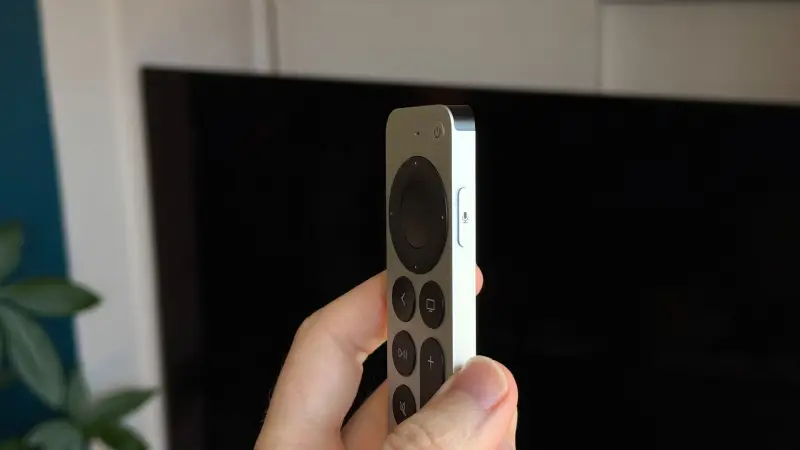
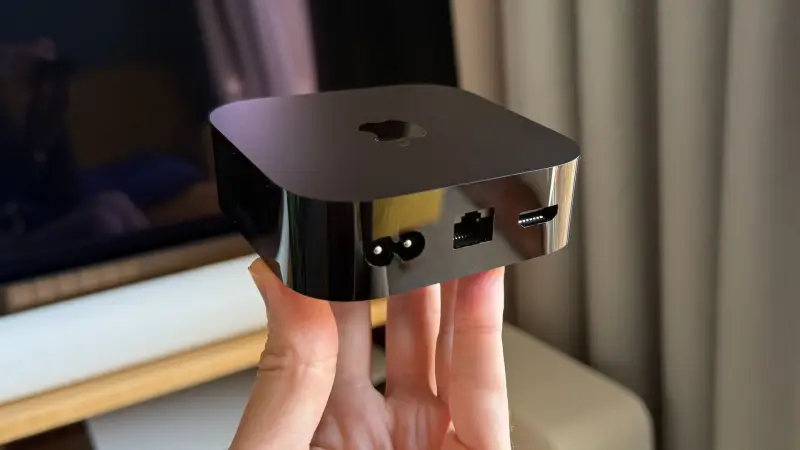
On the spec sheet, the new model lists 128GB of storage, an Apple A19 processor, HDMI 2.1, Gigabit Ethernet, Wi-Fi 7 and Bluetooth 6. Audio support covers Dolby Atmos and Dolby Digital Plus. The HDMI port is eARC, so it can receive audio from your TV and pass it to HomePods, which matters if you're building a home theater around Apple's speakers.
Software: the least annoying streaming interface
tvOS is a spin-off of the iOS software on iPhones, and it shows. Apps open quickly and scrolling feels smooth. It has a few rough edges, such as rearranging apps, where performance suddenly becomes less predictable. Even so, it's the least annoying streaming interface I've used.
Much of that comes from restraint. The home screen doesn't push shows at you. Recommendations appear only when you highlight a particular app, and they show up at the top of the screen for that app alone. Every other major platform fills its home screen with promotion, so this is a meaningful difference for anyone who finds that constant pitch tiring.
The Apple ecosystem integration is the other reason to stay. The most useful feature is password sharing: when you try to sign into a service, the Apple TV can pull credentials from the Passwords app on your iPhone. Typing with your iPhone's keyboard is also far easier than navigating letters with a remote. You can use iCloud photos as a screensaver, though Apple's built-in screensavers are better looking. FaceTime calls work through your iPhone's camera, and AirPlay handles audio and video from your phone.
The gaming story is weaker. The box works like a small console, and it supports official PlayStation and Xbox controllers. There are some decent games on it. But there are no game streaming services, because of restrictions Apple's rules impose. That was easier to tolerate when the last model launched. Cloud gaming has grown since, and with consoles and PCs getting more expensive, it's a more tempting option than it was. In 2026, the omission reads as a real gap.
The remote, the Netflix problem and the hub
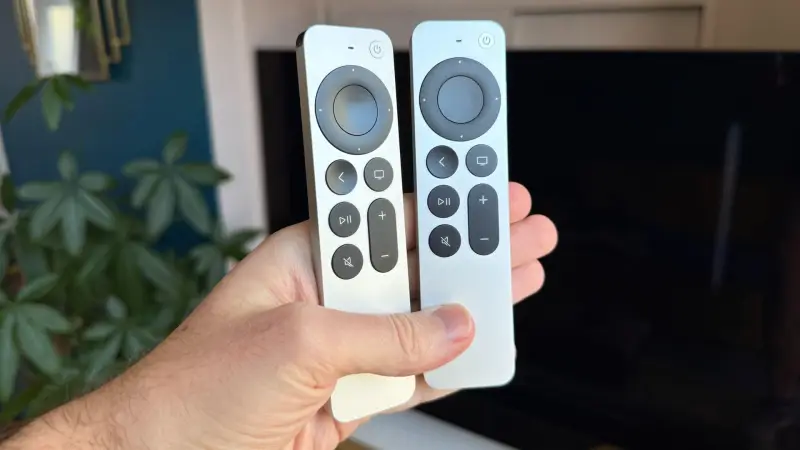
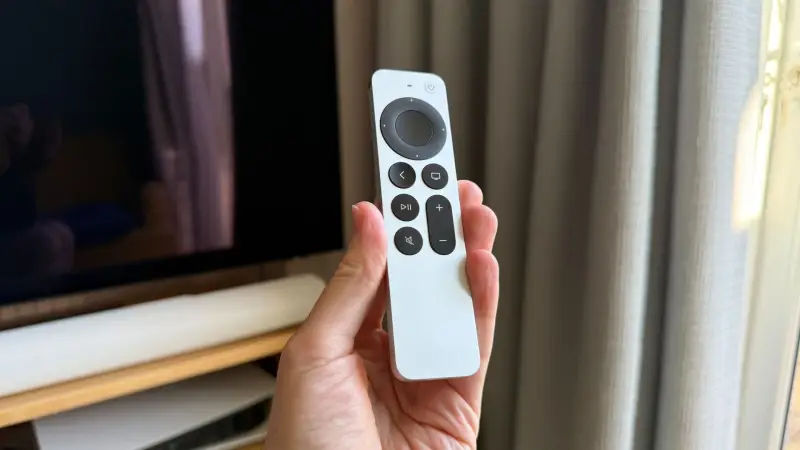
The Siri remote is simple. It has few buttons for launching streaming services directly, which keeps things clean, though that restraint is also a form of promotion for Apple's own services. The TV-shaped button opens the Apple TV app, which features Apple's streaming content but also collects what you've been watching across other services. So it isn't purely a funnel to Apple's catalogue.
The hub has a conspicuous hole, though. Netflix doesn't integrate with it. Netflix also doesn't work with Siri's movie playback or the system-wide universal search. Ask Siri to find a film, and the box will tell you which of your apps carry it, so you can watch it straight away. Except if the film is on Netflix, you have to go check that service yourself. For a box that wants to be the centre of your viewing, that's a glaring omission.
Siri AI: smarter on paper, inconsistent in use
Apple has upgraded Siri to Siri AI, and the new microphones built into the box are there to make voice control hands-free. Apple clearly expects you to use Siri a lot more now. The problem is that a smarter Siri still needs a sensible interface, and the implementation often falls short. I tested this on tvOS 27.2, which includes the Siri AI beta, connected to an OLED TV, and it was the weakest part of the experience. Answers are presented poorly. Sometimes the text is packed densely into a small panel at the side of the screen. Other times it fills the screen but uses type so large that only a few words fit before the cut-off. Pressing the remote to expand the text doesn't open the rest, because a different part of the screen gets selected by default. The layout is either too much or not enough.
Visual recognition varies wildly by app. When I asked what I was watching in Netflix, Siri said it couldn't see the screen and asked me to name the film. When I paused, so the title was visible on screen, and asked again, it recognised the title. A system that behaves differently depending on which app you're in isn't reliable, and it suggests that the Siri AI's visual access depends on the app's playback path. I saw better results with a documentary about chefs on a service using the native Apple player, where Siri identified Marco Pierre White instantly. I can't tell from that whether the native player is the reason, but the pattern fits.
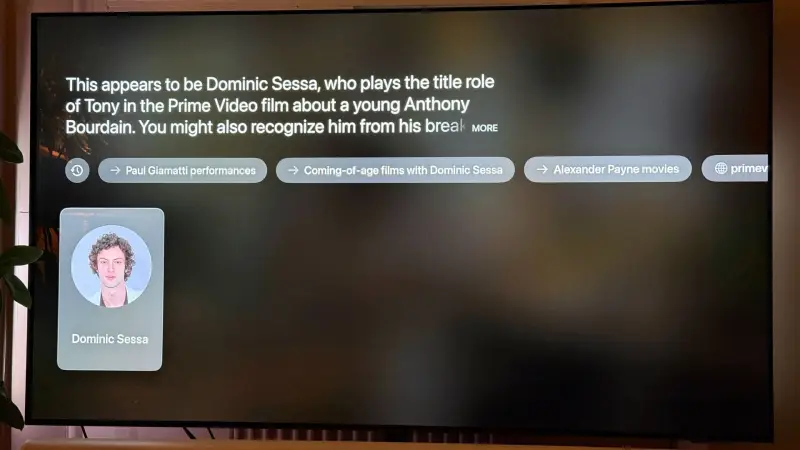
Other results were sloppy. Asked to identify music in a scene from Tony on Prime Video, Siri named the film itself. Asked who was on screen, it recognised Dominic Sessa, then gave me Sessa's information again when a different actor, Stavros Halkia, appeared.
Search and recommendations were no better. I asked for good Jason Statham films on my services. Siri listed some titles that were available, but gave no ratings, even though the results filled the screen. A follow-up question returned well-regarded films, but none of them were on my services. A third question finally produced a list filtered to my subscriptions. The first film on that list wasn't available on any of them.
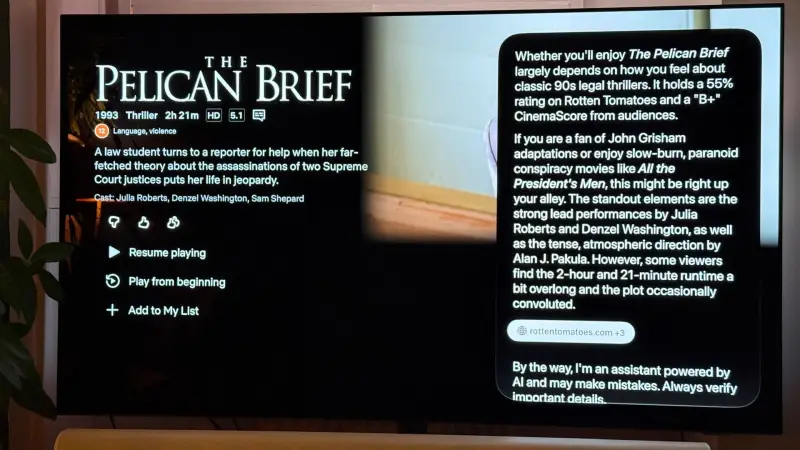
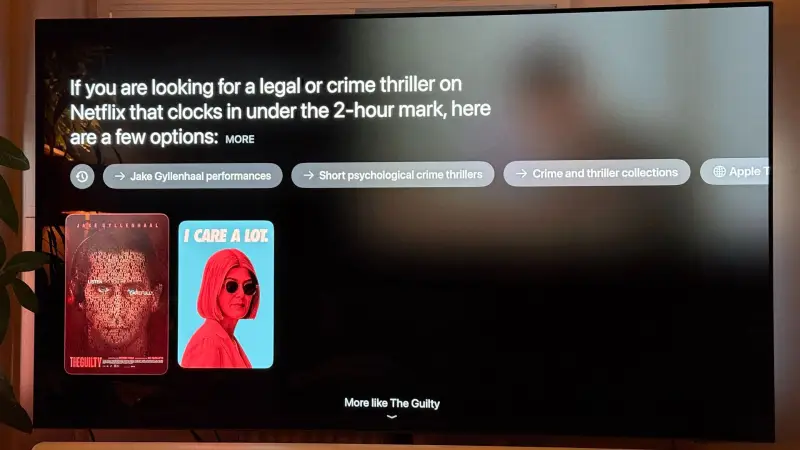
The Pelican Brief was the sharpest test. I opened its page on Netflix and asked whether I'd like it. I own several '90s thrillers from the same genre in my Apple TV library, including two John Grisham adaptations, and I also own The Pelican Brief itself. A smarter system would have noticed that. Instead I got a reasonable text summary of general opinion, set out as a plain column of paragraphs. When I asked for shorter alternatives, I got two middling options. Witness, which I own, never came up.
Siri also cites sources for its answers, but you can't open them to check. That makes the citations decorative. I've seen language models attach a source that says something different from the answer, so an unverifiable citation doesn't reassure me.
Finally, I tested episode-level requests. Siri correctly identified the Taskmaster episode I described, but didn't offer to play it. When I asked it to play the episode, the app opened and started the most recent episode instead. That might be an app problem rather than a Siri problem, but the outcome was still a failure. With 30 Rock, which I own in the Apple TV app, Siri found the right episode and played it after I asked. But it didn't start playback on its own, so I still had to press a button. For hands-free control, that's a failure too.
Put simply, Siri still feels half-baked. It's a more elaborate interface wrapped around the same unfinished core. Apple can point out that it's a beta. But you're paying more for the chip inside this box, and if the AI features aren't ready, the movies don't play any differently.
The microphones and the lost remote
Always-listening microphones will bother some people, and I understand why. You can switch the listening function off in settings, but it's a software toggle. Sonos takes a different approach with a physical switch that electronically disconnects its microphones, so they can't hear anything. A software setting won't reassure everyone.
Still, the mics enable one of the few genuinely useful new features. You can ask Siri to find your lost remote, and the remote chirps until you locate it. It works even when the Apple TV is in standby, with no visible sign from the box that it has heard you. I asked "Siri, where's the remote?" with the whole system switched off, and the remote started chirping from under a cushion. It's a small trick, but it's the one I'd actually use. At the old prices, I'd have been tempted. At $299, it doesn't justify the cost on its own.
HomePod surround and the wider home setup
The faster Wi-Fi in this model matters more than it sounds. It appears to have enabled full surround sound with HomePod speakers for the first time, which Apple attributes to lower wireless latency. The supported layouts are four HomePod or HomePod mini 2nd Gen speakers, with two at the front and two at the back, or two HomePod 2nd Gen speakers at the front with two HomePod mini 2nd Gen speakers at the rear.
HomePod is a separate product, so I wouldn't count it against the Apple TV's score. I've found the HomePod 2nd Gen to be a strong TV speaker when paired with the Apple TV. The problem is cost. HomePod prices have risen, which makes a full setup less competitive. It now sits roughly mid-pack against wireless home theatre systems from brands such as Hisense and Sonos.
Who should buy it
Upgraders from the 2021 or 2022 Apple TV 4K should skip this model. Picture and sound are unchanged. Siri AI is coming to the last two generations too, so it isn't a reason to upgrade. The find-my-remote feature and the hands-free mics are the only real additions, and neither justifies the price difference on its own.
If you're new to Apple TV, the case is narrower. The box is worth paying for only if image quality and privacy matter a lot to you. Its picture, upscaling and Apple Store bitrate are still excellent, its home screen is calmer than rivals', and it offers more privacy protection than the likes of Roku, Amazon and Google. Those are real advantages. But the Amazon Fire TV Stick 4K Max delivers almost the same format support for a fraction of the price, so the question is whether those advantages are worth the difference to you.
I've dropped my score for this model to 3.5 stars, down from 4.5 for its predecessor. Prices are rising across the market, but this box has moved past the point where I can call it good value next to cheaper competition. If money is no object, it's still a strong recommendation. For everyone else, the verdict depends on what you value most.
What I'd watch next: whether Siri AI gets out of beta and handles on-screen recognition consistently across apps, whether Netflix joins the hub and Siri's search, and whether Apple opens the door to cloud gaming. Those three changes would do more to justify the price than any hardware tweak.