Montech King 95 3D Pro Review: Three Glass Panels, Strong CPU Cooling, Loud Fans
Montech's King 95 3D adds a top glass panel to the curved-glass King 95. We test the $199.90 Pro with seven fans for thermals, noise and build fit.
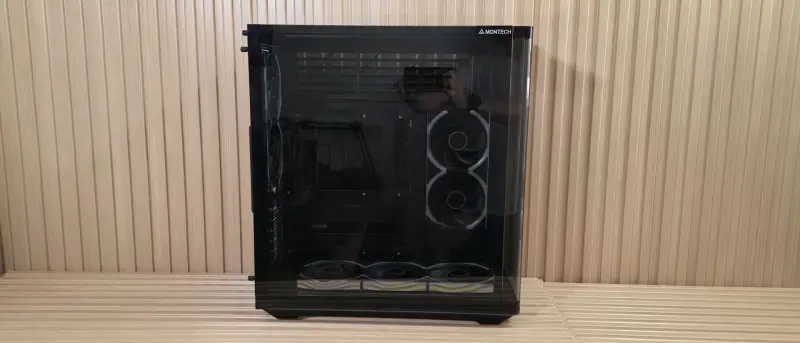
Montech is marking its 10th anniversary with a new flagship ATX chassis, and the King 95 3D is a more interesting update than the name suggests. The design keeps the 15-degree curved-glass front panel that defined the original King 95 and adds a tempered glass top panel. That gives you three viewing windows into the build, which is an unusual setup in a mid-tower. My read is that the top panel is the real differentiator here, since most glass cases stop at the front and side.
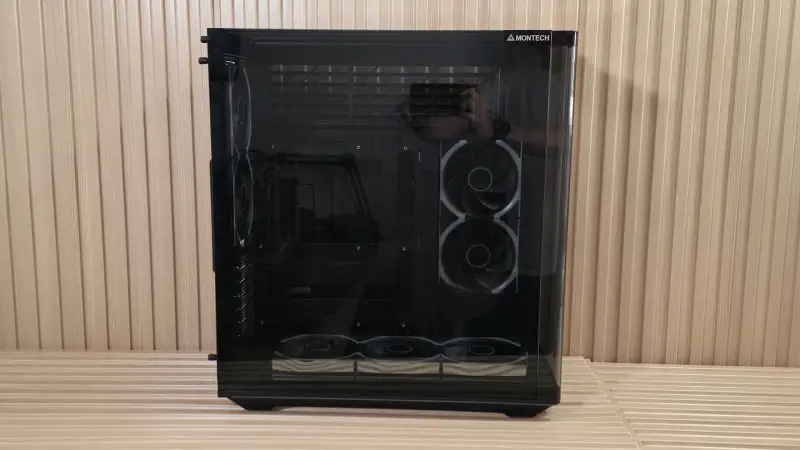
Montech sells two versions. The King 95 3D lists at $119.90 without fans. The King 95 3D Pro costs $199.90 and ships with seven pre-installed Link Fan INF 120 fans and the Lumi hub, a dedicated fan and lighting controller. We tested the Pro in its stock configuration, which is the more practical choice for anyone who doesn't want to buy a fan kit separately.
Specifications at a glance
The case measures 534 x 480 x 300mm (H x L x W) and supports Mini-ITX, Micro-ATX and ATX motherboards. It does not support E-ATX, which is a notable omission for a chassis this size. It does support rear-connect motherboards. Storage covers one 3.5-inch drive and two 2.5-inch drives.
Clearance figures matter more than the marketing around them. CPU cooler height tops out at 172mm. GPU length is rated at up to 450mm, depending on configuration. The case has seven PCIe slots, a 220mm PSU mounting length and no vertical GPU support. Radiator support covers 120, 240 or 360mm on top, 120 or 240mm on the side, and 120mm at the rear. The front has no radiator mount. Dust filters sit on the side and bottom. Montech backs the case with a one-year warranty and offers it in black or white.
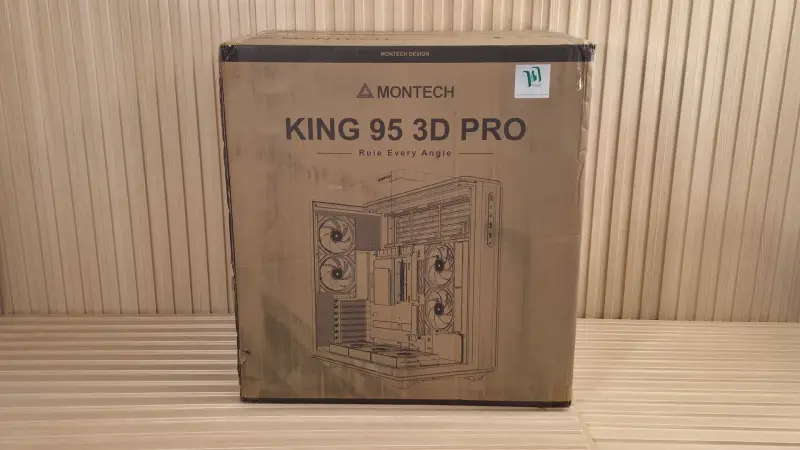
Exterior: the glass does most of the work
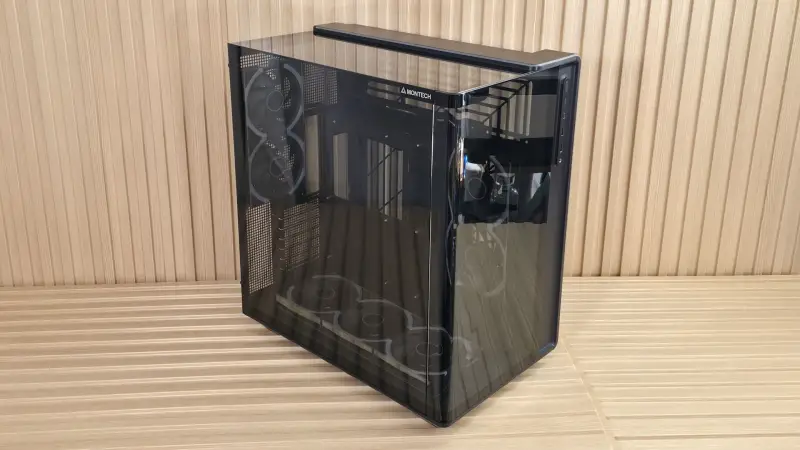
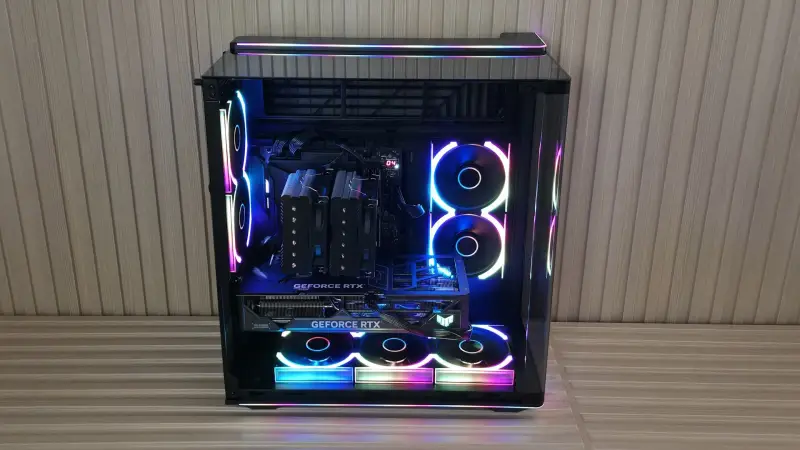
The front curved panel is removable and has a smoked tint. Of everything on the case, it's the element most likely to make people stop and look. The 118-LED contour strip runs along the top, down the right edge and across the bottom, and it's the unifying design element across the chassis. I'm not a fan of heavy RGB, but Montech kept this implementation restrained enough to read as a design feature rather than a light show.
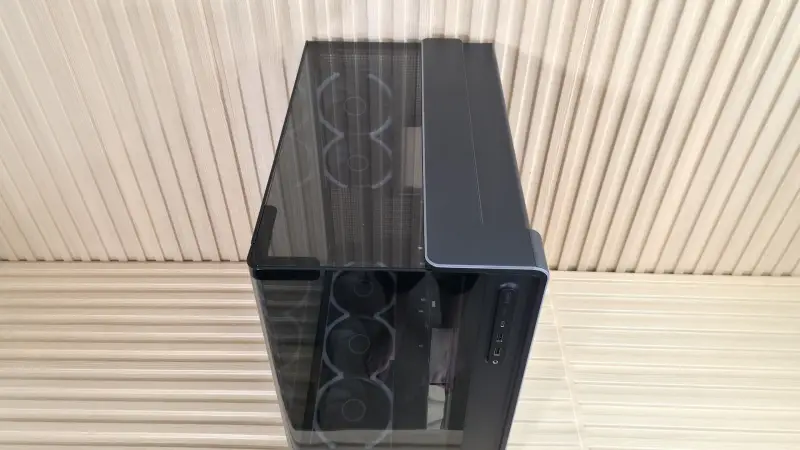
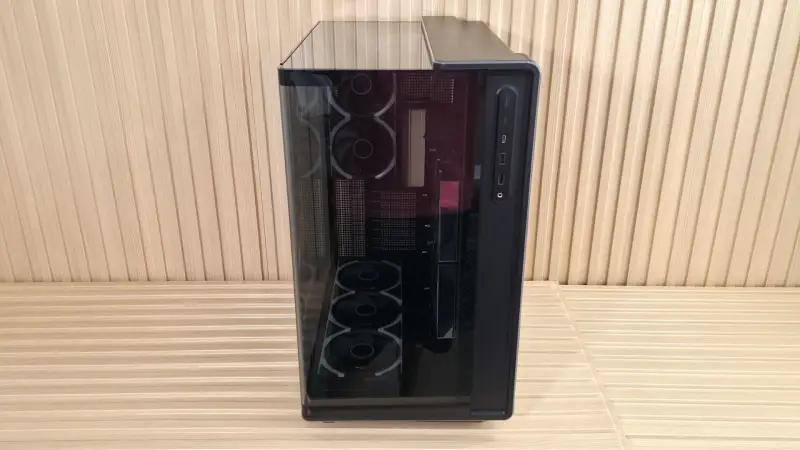
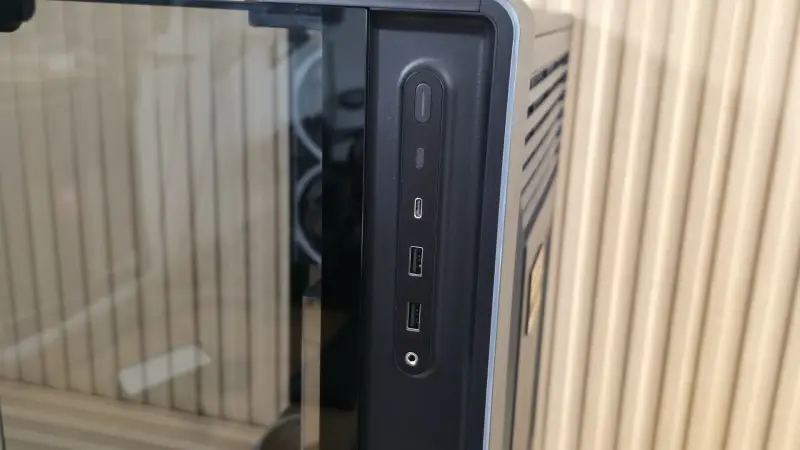
The front I/O panel runs vertically along the right edge. It has a power button on top, an LED on/off button below, one USB 3.2 Gen2x2 (20 Gbps) Type-C port, two USB 3.2 Gen1 (5 Gbps) Type-A ports, and a 3.5mm audio jack. The Type-C port is the one to care about if you're plugging in a fast external drive or a 20 Gbps device.
The main window panel uses the same smoked tint and carries Montech branding in the upper-right corner. It's held by two captive thumbscrews at the back. Removal takes seconds: loosen the screws, slide the panel back, lift it off the top and pull it out of the slots. The trade-off is fingerprints. Three glass surfaces are a lot to keep clean, and the glass shows every smudge.
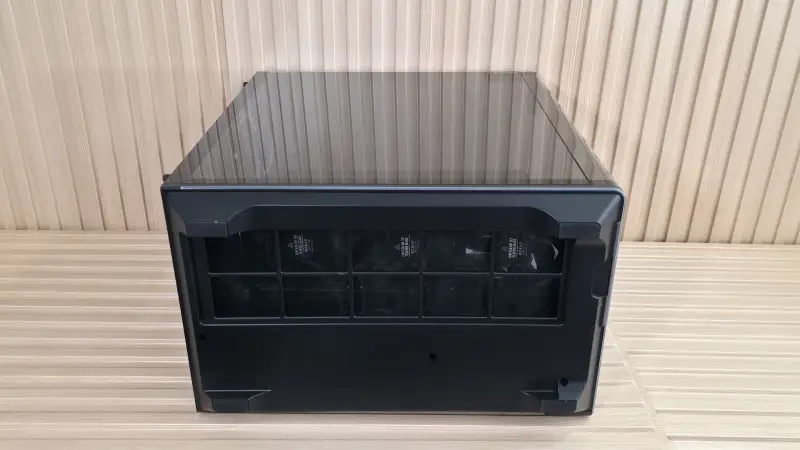
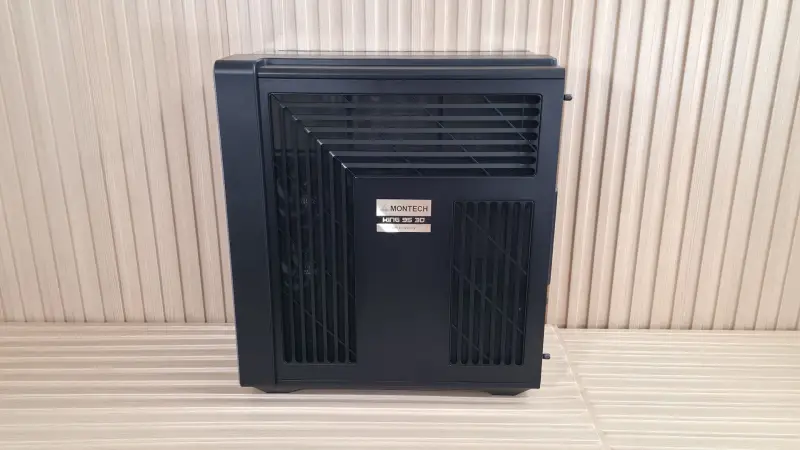
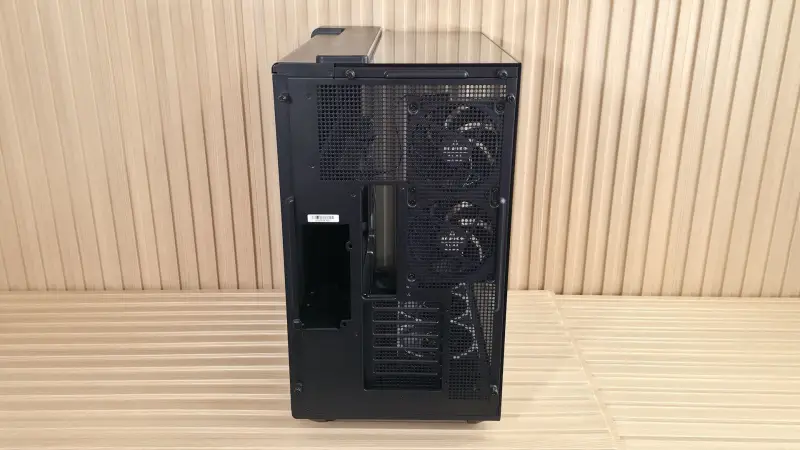
The opposite side is metal with filtered venting along the top and side for the fan and radiator positions, plus a vent near the PSU and drive bays. The dust filters on this panel aren't removable on their own, so cleaning them means taking the whole side off. That's a minor annoyance, but it's the kind you notice after a few months of dust build-up.
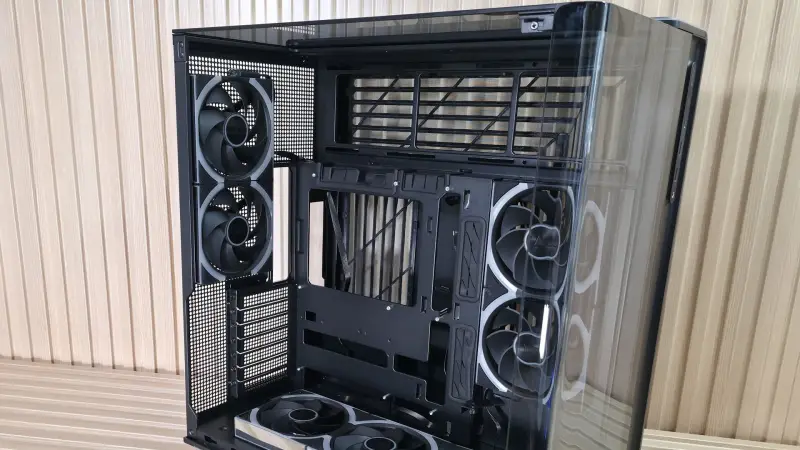
The top glass is where the case gets distinctive. It gives observers an angled view into the build, not just a straight-on look through the front. Removing it takes more steps than the other panels. You open the main window panel to reach a retaining screw, take that screw out, loosen the rear thumbscrews, slide the panel toward the back, and then remove the upper and side retaining screws. I didn't need to disassemble it during the build, but it's good to know the process if you're upgrading later.
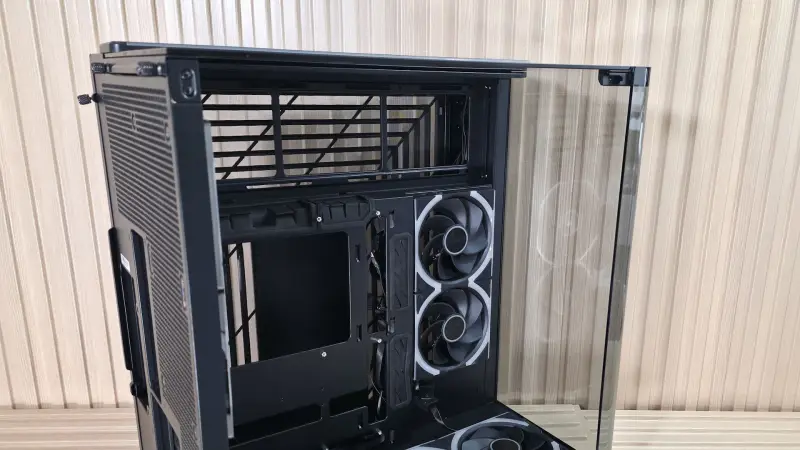
From the rear, the vertical PSU bay sits on the left and accepts up to 220mm units, which covers nearly everything on the market. The right side has two 120mm fan positions, the motherboard I/O and seven horizontal expansion slots. The case has no vertical GPU option, which rules out a common showcase layout. The underside has four short rubber feet and a dust filter that slides out from the front, so you don't need to tip a heavy case to clean it.
Interior layout and cable routing
Inside, the King 95 3D uses a dual-chamber design. The PSU and most cabling run behind the motherboard tray. The tray has plenty of cutouts for accessing the back of the board, which makes it easier to install or remove air coolers and AIO or custom water-cooling blocks. Montech also lists support for rear-connect platforms, including Asus BTF, Gigabyte Stealth and MSI Project Zero boards.
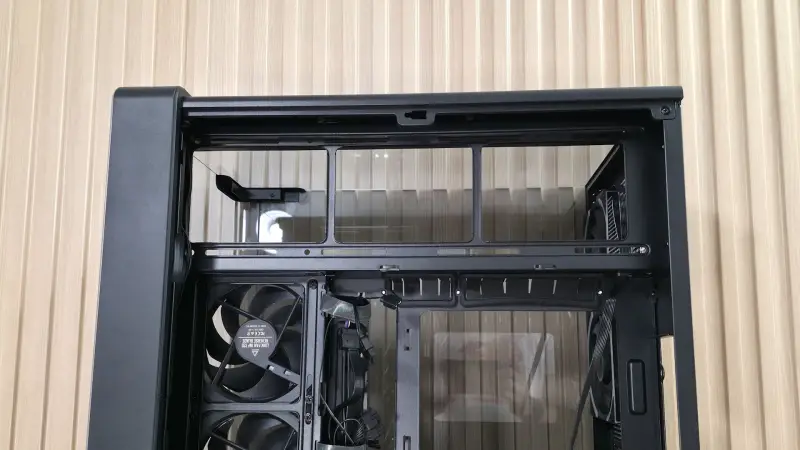
The space above the motherboard tray is sizeable. It can hold up to three 120mm fans or a 360mm radiator. Montech offset that area away from the tray, which gives EPS cables more room to route. That's a real benefit, since EPS runs are often the tightest part of a build. Montech also pre-installed multiple Velcro straps behind the tray, and there's enough space under the PSU to stash excess cable length.
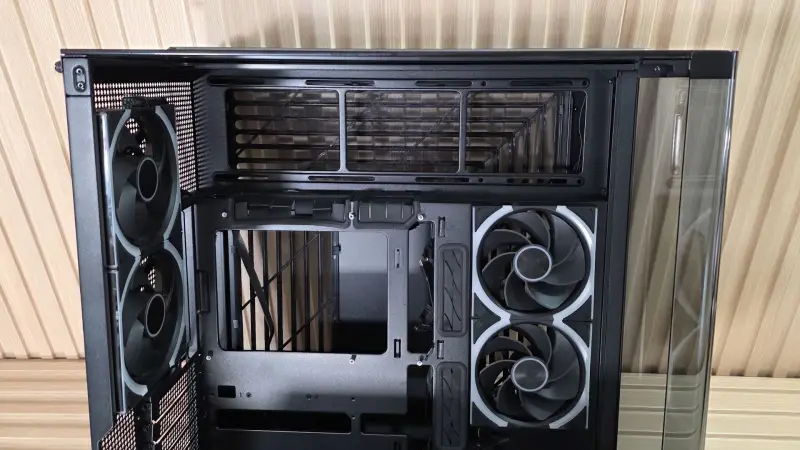
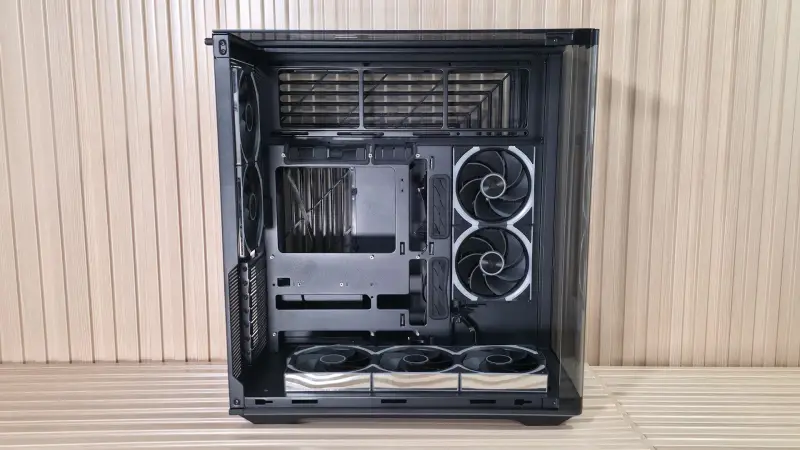
The grommets around the tray sit in sensible locations but pull out too easily when you push thick connectors through them. I'd like to see case makers secure these better. Reinstalling a grommet in a full cable harness is an annoying way to spend part of an evening.
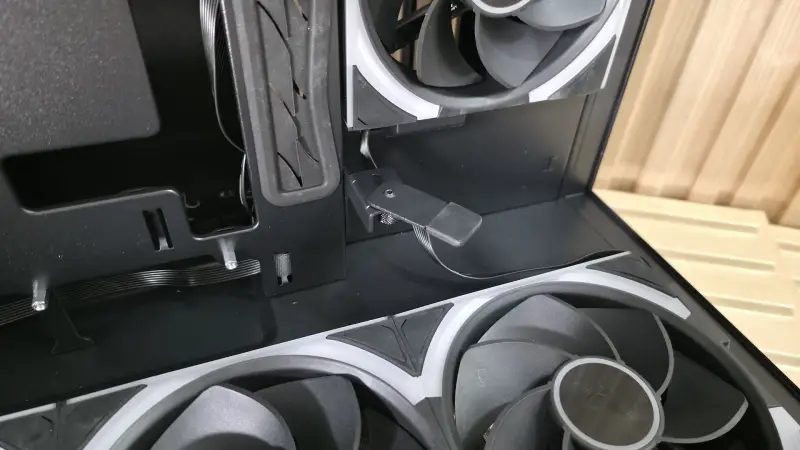
The bottom fan bracket is adjustable across three positions. In the lower position, the fans pull air from below. Raising the bracket points more air toward the GPU and shows off the fans, though it changes the thermal picture. We tested with the bracket down. The tool-less GPU support strut at the bottom front helps with heavy cards, and the seven horizontal expansion slots use thumbscrews.
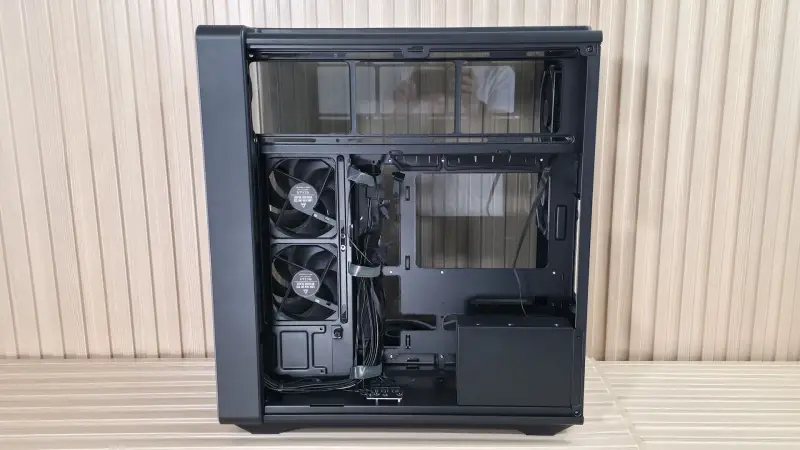
Cable routing for the lighting is handled by a simple ARGB hub at the bottom, which combines the three ARGB cables from the bottom fans into a single header. The Lumi hub, which supports up to 13 Link Fans in total, comes with both the Pro and the non-Pro. On our Pro sample, the hub was loose rather than installed, while the non-Pro shipped with it mounted. That's a small inconsistency, but check it when you unbox.
Fans, lighting and what the Pro actually costs
The seven included Link Fan INF 120 fans are magnetically linked and daisy-chainable. They spin up to 2,300 RPM, or 2,200 RPM on the reverse-blade version, and move between 65 and 67 CFM. Montech rates the noise at up to 32 dBA on the standard blade and 29 dBA on the reverse. Five of the fans sit on the bottom and side in reverse-blade orientation, and two sit at the rear.
Pricing makes the Pro's value clearer. A single Link Fan INF 120 costs $19.90. A three-pack with a Lumi hub runs $64.90, and the seven-fan-plus-hub kit included with the Pro comes out cheaper than buying those pieces separately. If you were going to buy fans anyway, the Pro is the better deal. If you have a fan collection you already like, the $119.90 base model gives you the chassis without the extra hardware.
The fans come with a lot of RGB and infinity-mirror styling. When all seven are running, the mirrored sides turn the interior into a continuous reflection that looks striking. It's also polarizing. I'd have liked a no-RGB option for the pre-installed fans, because the infinity look isn't for everyone. You can disable the lighting in the software or pick the non-Pro and choose fans that match the build.
Thermal testing: CPU results are strong, GPU runs warm
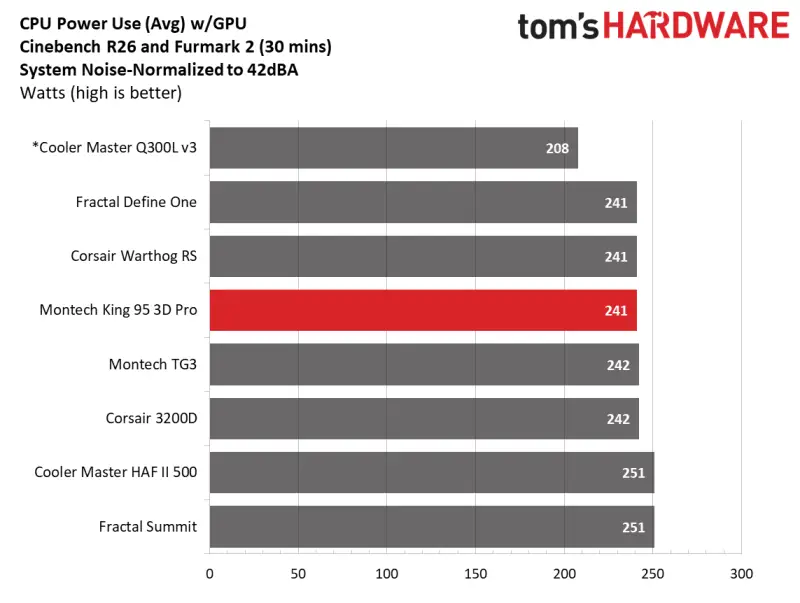
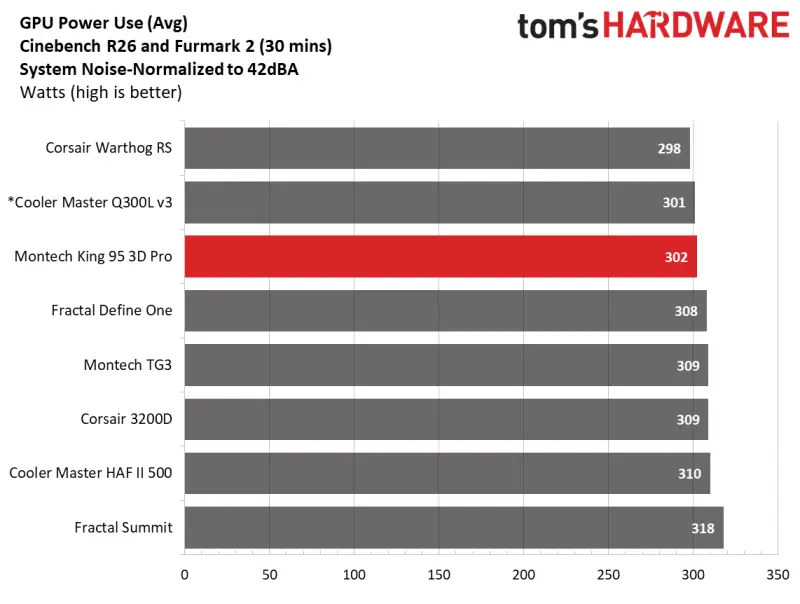
Our test system used an Intel Core Ultra 7 270K Plus, a Thermalright Peerless Assassin 120 SE air cooler, a Gigabyte Z890 Aorus Elite WiFi7 Plus motherboard, an Asus TUF RTX 4080 and a Montech Century II 1050W PSU. Heat came from Cinebench R26 in multi-threaded mode for the CPU and FurMark 2 at 1080p for the GPU. We ran both concurrently for 30 minutes so the air-cooled system could reach a steady state, then let it idle for 15 minutes before the next run.
We tested in two modes. The first normalizes system noise to 42 dBA, which is a good proxy for a quiet build. The second runs the fans at 100 percent to show peak out-of-the-box cooling.
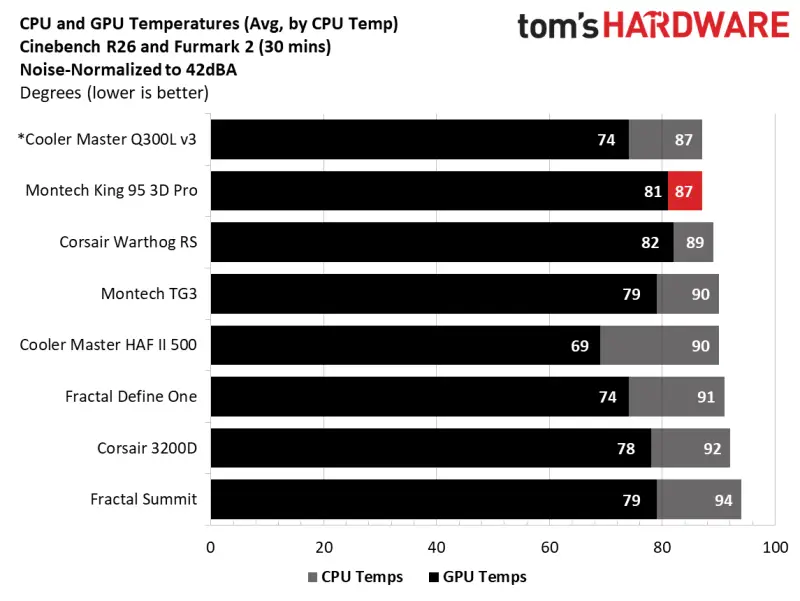
In the noise-normalized run, the CPU averaged 87 degrees Celsius. That was among the best in our comparison set and a couple of degrees better than most cases we test. The GPU averaged 81 degrees, which was warmer than average. That's a bit surprising given that three fans blow directly at the card, but it suggests the airflow path from the bottom fans isn't as efficient at cooling the GPU as the CPU. The GPU result is the main thermal weak point here.
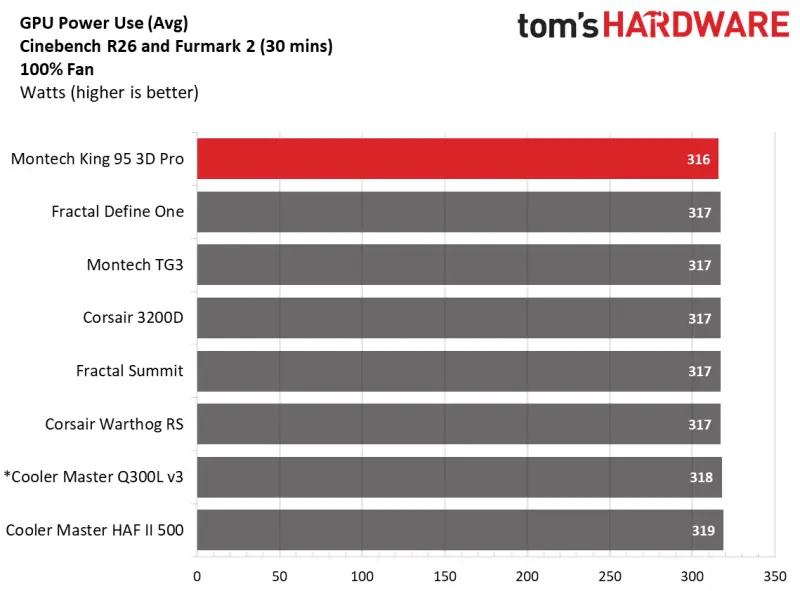
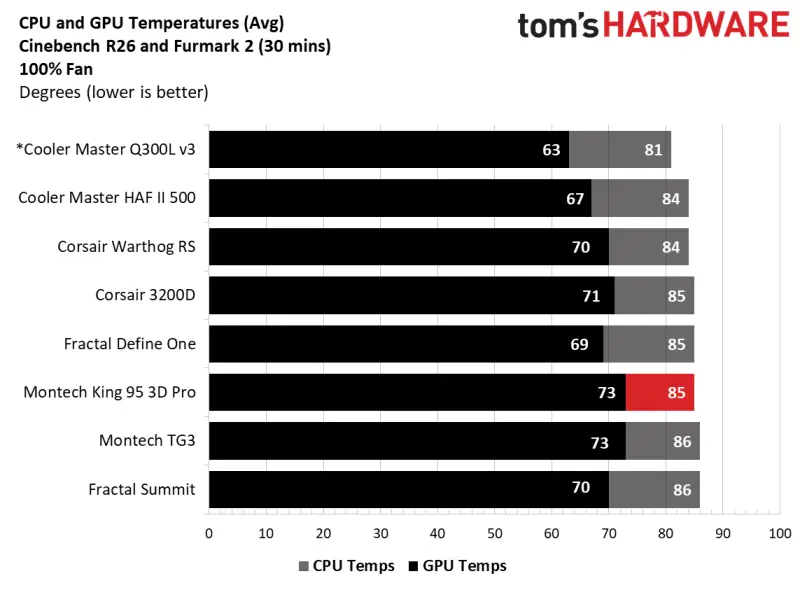
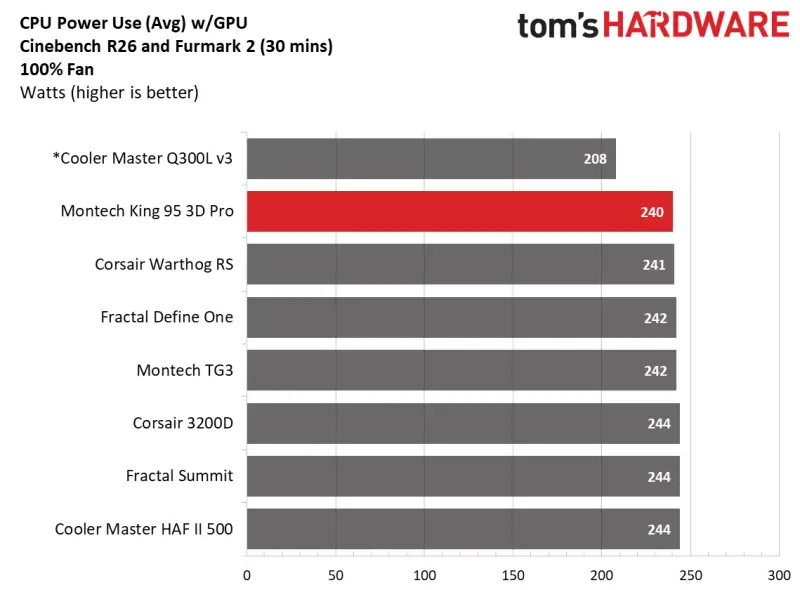
Cranking the fans to 100 percent changed the picture. The CPU dropped only two degrees, mostly because the fans already ran faster than most cases could in the noise-normalized test. The GPU fell nine degrees, which moved it much closer to the pack, though it still sat near the warm end. Adding fans to the open top space would probably lower both numbers further, and I'd expect that to matter most for high-power GPUs.
Noise: the price of an enclosed front
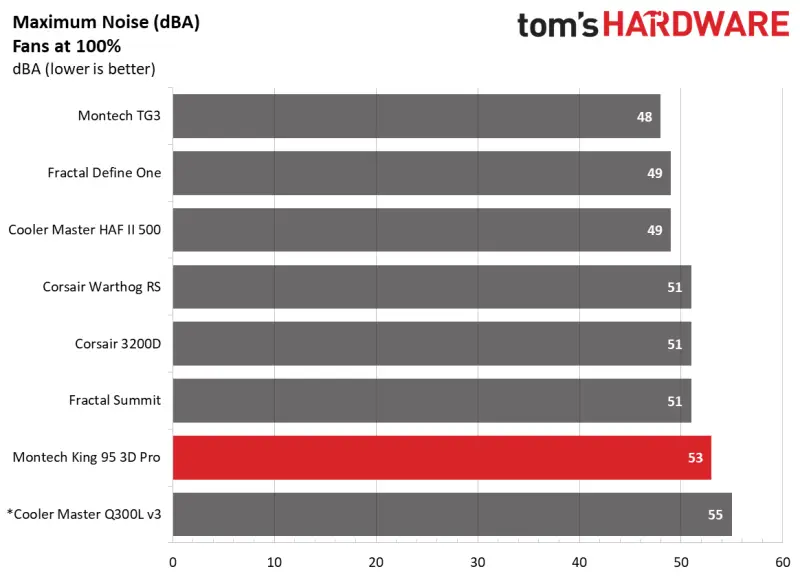
We measured noise with a meter placed one meter from the case, using the pre-installed fans at maximum RPM. Because the case shipped with seven fans, we didn't add a fan for the test. The loudest reading was 53 dBA, 11 dBA above our baseline threshold. That's the second-highest result among the chassis we've tested.
That number is less damning than it looks. The front and top are fully covered, and the cases that landed a couple of dBA quieter typically have an open front. The King 95 3D also carries seven fans, while many chassis in that comparison ship with four or fewer. So the extra noise comes partly from moving more air. The sound itself is a broadband rush of turbulence rather than a whine or rattle, and the fans don't sound harsh even at full speed. Running them at lower RPM is where the case is most comfortable to live with.
Who should buy it, and what to watch
The King 95 3D is a solid premium mid-tower. The top glass is a real differentiator, and no other chassis in this price range offers quite the same three-window view. The interior has enough space for large GPUs, tower coolers and a 360mm radiator at the top. The cable management is better than average for a case this visually open, especially around the EPS routing area.
The limits are clear, though. There's no E-ATX support, no vertical GPU mount, and the glass demands regular cleaning. The GPU temperatures in our testing ran warm, and the case gets loud when the fans climb. If you're building an air-cooled system with a hot card, budget for an extra exhaust fan or two at the top. If you're going with an AIO, the top radiator fills that space and the thermal picture should improve.
If you want the most showcase for the money and already own a fan kit, the $119.90 base model is the better buy. If you want a complete, coordinated build out of the box and plan to use all seven included fans, the $199.90 Pro is the better value. Either way, the King 95 3D is a credible option for anyone shopping in the premium mid-tower segment who wants a look that doesn't come from a single front window. My expectation is that Montech's next revision will focus on the GPU airflow and the RGB options, since those are the two areas where this design still asks for compromises.